
Hadamard Gate on Bloch Sphere Demonstration
Loading the math board and drawing, please wait…
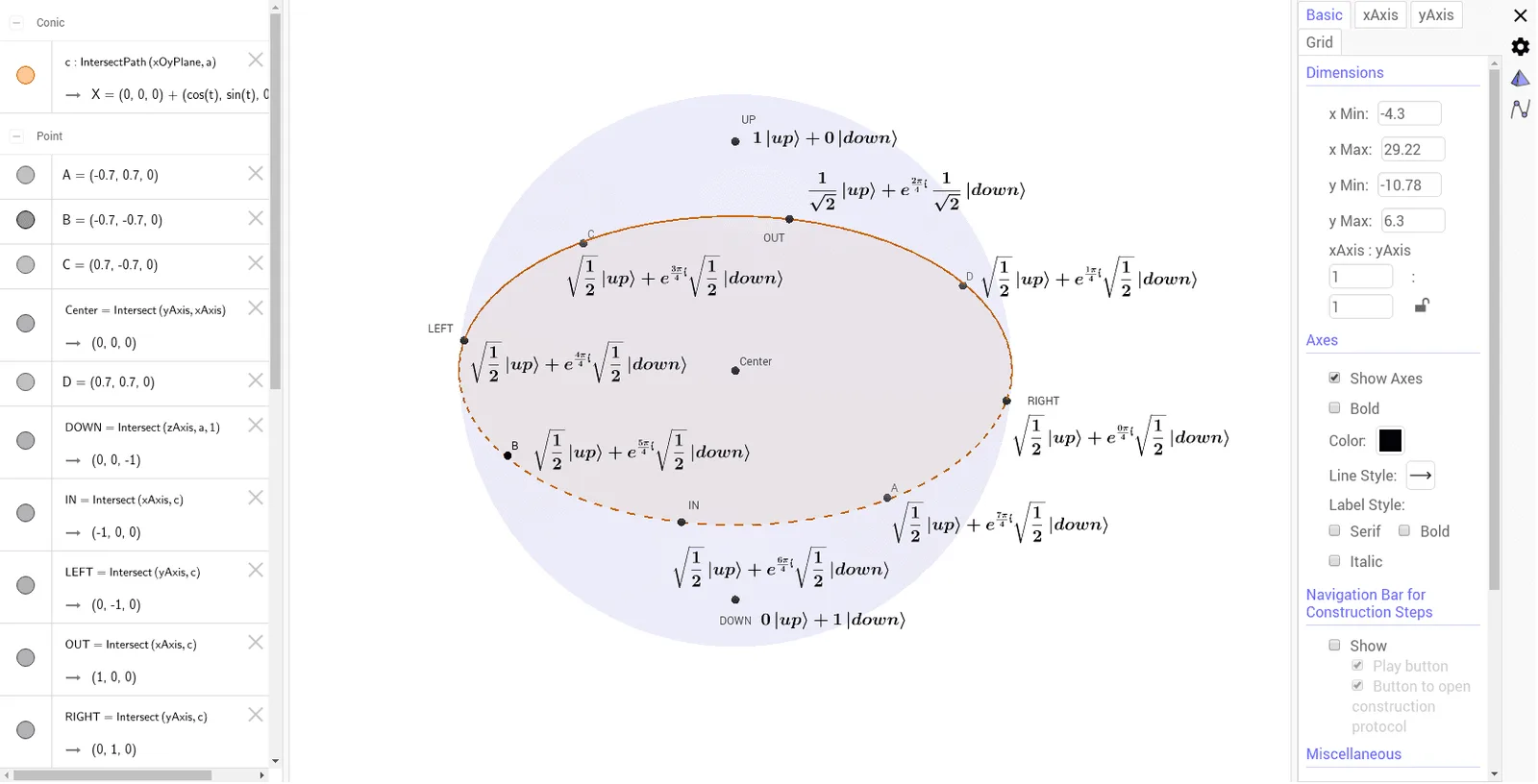
This example demonstrates the geometric representation of the Hadamard gate in quantum computing on the Bloch sphere. It involves core mathematical concepts such as spherical geometry, complex number representation, linear transformations, and the superposition of quantum states. The construction uses GeoGebra commands like Intersect, Sphere, and IntersectPath, along with objects like Center, a, UP, c, OUT, IN, RIGHT, LEFT, DOWN, A, B, C, D to visualize the gate's effect. Suitable for high school students and beginners in quantum computing to understand the geometric intuition of quantum mechanics and linear algebra.
GeoGebra Commands & Parameters
Intersect(yAxis, xAxis) → CenterSphere(Center, 1) → aIntersect(zAxis, a, 2) → UPIntersectPath(xOyPlane, a) → cIntersect(xAxis, c) → OUT, INIntersect(yAxis, c) → RIGHT, LEFTIntersect(zAxis, a, 1) → DOWN
AI Drawing Prompt Reference
Draw a sphere centered at the origin with a radius of 1. Then mark the intersections of the sphere with the x-axis, y-axis, and z-axis to represent the top, bottom, right, left, inside, and outside of the sphere. Next, draw the intersection of the xOy plane with the sphere and mark the intersections of the x-axis and y-axis on this plane to represent the four quadrants of the sphere.
The prompt above was compiled from the original drawing commands and is for reference only.