
Guess My Rule: A Game for Recognizing Graph Transformations and Function Familie
Loading the math board and drawing, please wait…
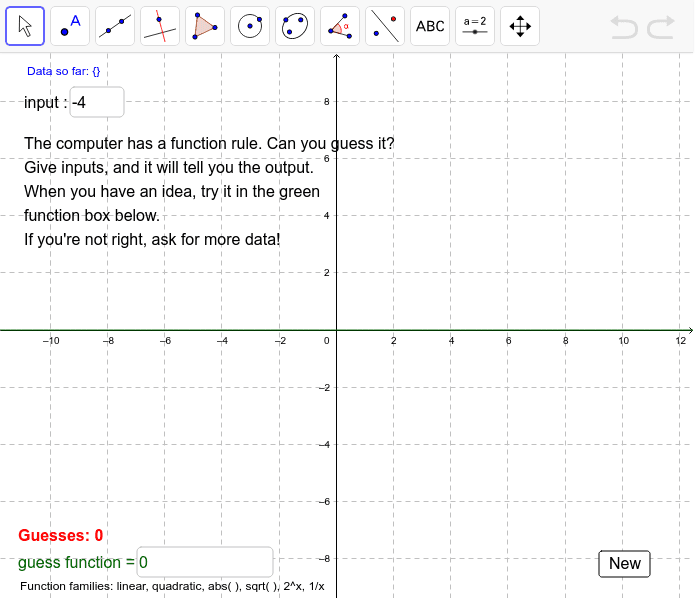
① This interactive GeoGebra example is a game where players input numbers and observe outputs to deduce a hidden function rule, making graph transformations and function family characteristics tangible. ② Core math concepts include functions, function graphs, geometric transformations (translations, stretches, reflections), and function families (linear, quadratic, exponential, etc.), with extensions to derivatives and median lines. ③ Construction highlights: uses Textfield and InputBox objects for user input, buttons to trigger evaluation, function objects (functions, f, g, f') and points (A, B, C) for dynamic feedback, text objects (text1–text8) for hints, guess counts, and results, plus data objects (data, guesses, ups) to track game state. ④ Suitable for upper secondary to early university students, ideal for inquiry-based learning, classroom activities, or gamified practice in understanding function transformations and family classification.
GeoGebra Commands & Parameters
Textfield(xin) → inputBox1Textfield(g) → inputBox2
AI Drawing Prompt Reference
Create an interactive graph where users input values and observe outputs to guess a hidden function rule. Include function graphs, geometric transformations (translations, stretches, reflections), and different function families (linear, quadratic, exponential). Use text boxes for user input, buttons to trigger calculations, and dynamically display function graphs and points. Text objects provide hints, guess counts, and results, while data objects track the game state. Ideal for upper secondary to early university students for inquiry-based learning and gamified practice.
The prompt above was compiled from the original drawing commands and is for reference only.