
Graphing One-Variable Linear Inequalities: Boundary and Shaded Solution Sets
Loading the math board and drawing, please wait…
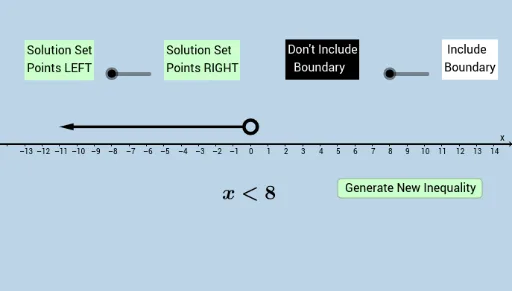
This GeoGebra example demonstrates how to visualize the solution set of one-variable linear inequalities by showing the boundary (e.g., an endpoint or boundary line) and the corresponding shaded region that satisfies the inequality, including the correct open/closed behavior for <, ≤, >, and ≥. It centers on the core ideas of inequality solving, graphing linear relations, and interpreting which points in the coordinate plane make the inequality true. Construction-wise, it leverages commands such as Random and Point to create adjustable reference points, DynamicCoordinates to drive coordinate changes dynamically, and Vector to represent directional or geometric relationships. Supporting objects like buttons and text labels (text*, button*) are used to control the interaction and present the inequality-related information while geometric entities (e.g., a, b, c, d, e, f and A, B) underpin the boundary and shaded solution depiction. Suitable for middle/high school learning, classroom demonstrations, and self-study of graph-based inequality reasoning.
GeoGebra Commands & Parameters
Random(-10, 10) → aPoint(b) → ARandom(1, 4) → eRandom(0, 1) → rDynamicCoordinates(A, round(x(A)), 1) → BVector((x(B) + 0.4, 1), (11, 1)) → uVector((x(B) - 0.4, 1), (-11, 1)) → v
AI Drawing Prompt Reference
Draw a number line with two points marked on it, one randomly placed on the line and the other randomly placed above the line. Draw a straight line passing through these two points. Depending on a randomly chosen value, decide whether the line is solid or dashed, and shade the region above the line. Place a point randomly on the number line and draw two horizontal vectors starting from this point, pointing to the left and right sides respectively.
The prompt above was compiled from the original drawing commands and is for reference only.