
Graphing Complex Numbers in Polar and Rectangular Forms
Loading the math board and drawing, please wait…
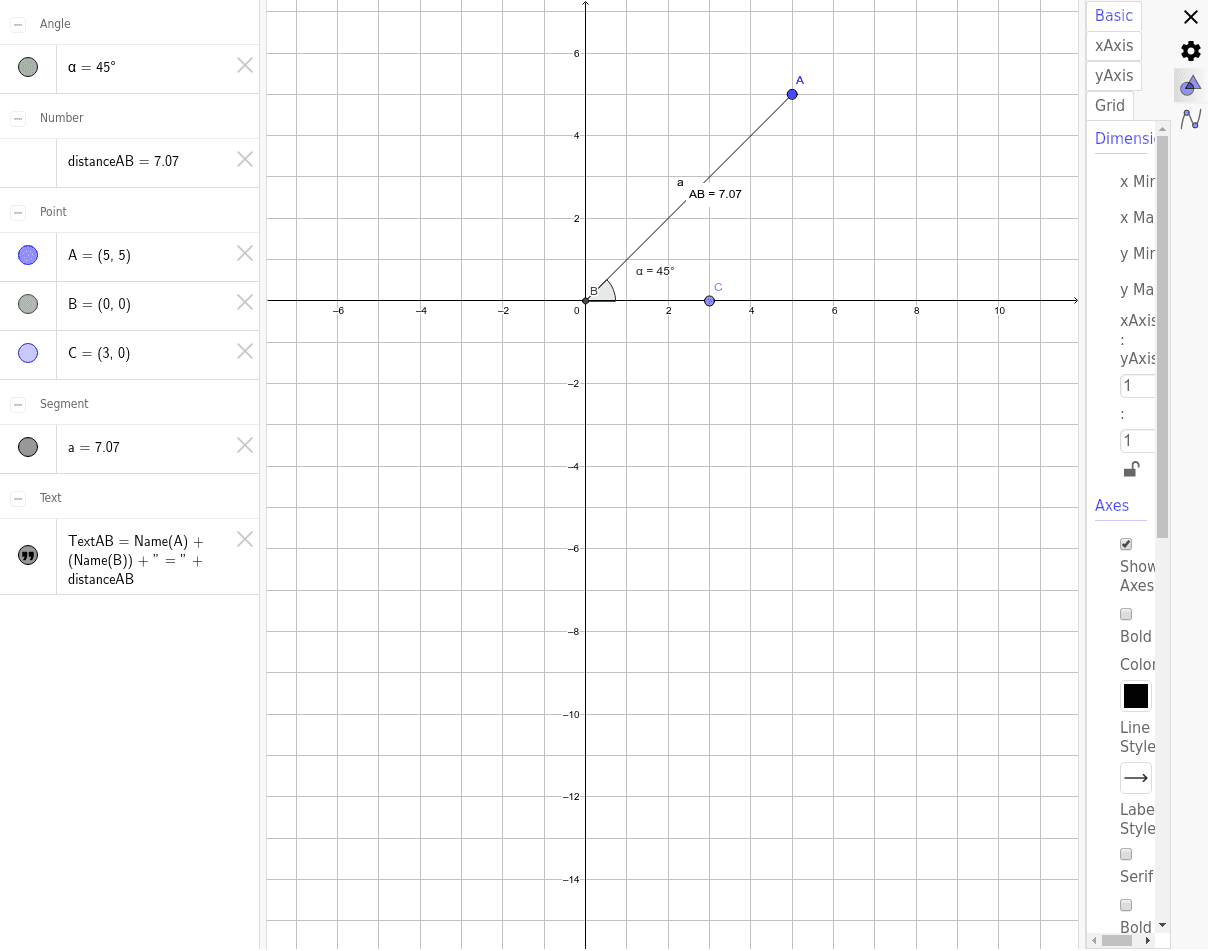
① This example demonstrates how to graph complex numbers in both polar form (magnitude and argument) and rectangular form (real and imaginary parts) simultaneously in GeoGebra, visually showing the geometric correspondence between the two representations on the complex plane. ② Core mathematical concepts include algebraic representation of complex numbers, polar representation, modulus, argument, points and vectors on the complex plane, and conversion between polar and rectangular coordinates. ③ Construction details: using GeoGebra commands such as Intersect, Segment, Point, Angle, Distance, and Midpoint, the example constructs points A and B, segment a, angle α, computes distanceAB, and adds text label TextAB to display the polar radius, polar angle, and coordinate projections. ④ Suitable for high school or early college mathematics courses focusing on complex numbers, polar-rectangular coordinate conversion, and geometric visualization of complex number operations.
GeoGebra Commands & Parameters
Intersect(xAxis, yAxis) → BSegment(A, B) → aPoint(xAxis) → CAngle(C, B, A) → αDistance(A, B) → distanceABMidpoint(A, B) →
AI Drawing Prompt Reference
On the complex plane, plot a complex number point and simultaneously display its polar form (magnitude and argument) and rectangular form (real and imaginary parts). Start by marking the origin, then place a point representing the complex number. Draw a segment from this point to the origin to show the modulus. On the real axis, choose another point, and construct an angle at the origin between the real axis and the segment, representing the argument. Calculate and label the length of the segment as the modulus. Finally, add a text label at the midpoint of the segment to display the polar radius, polar angle, and the coordinate projections, visually connecting the two representations.
The prompt above was compiled from the original drawing commands and is for reference only.