
Golden Spiral Construction
Loading the math board and drawing, please wait…
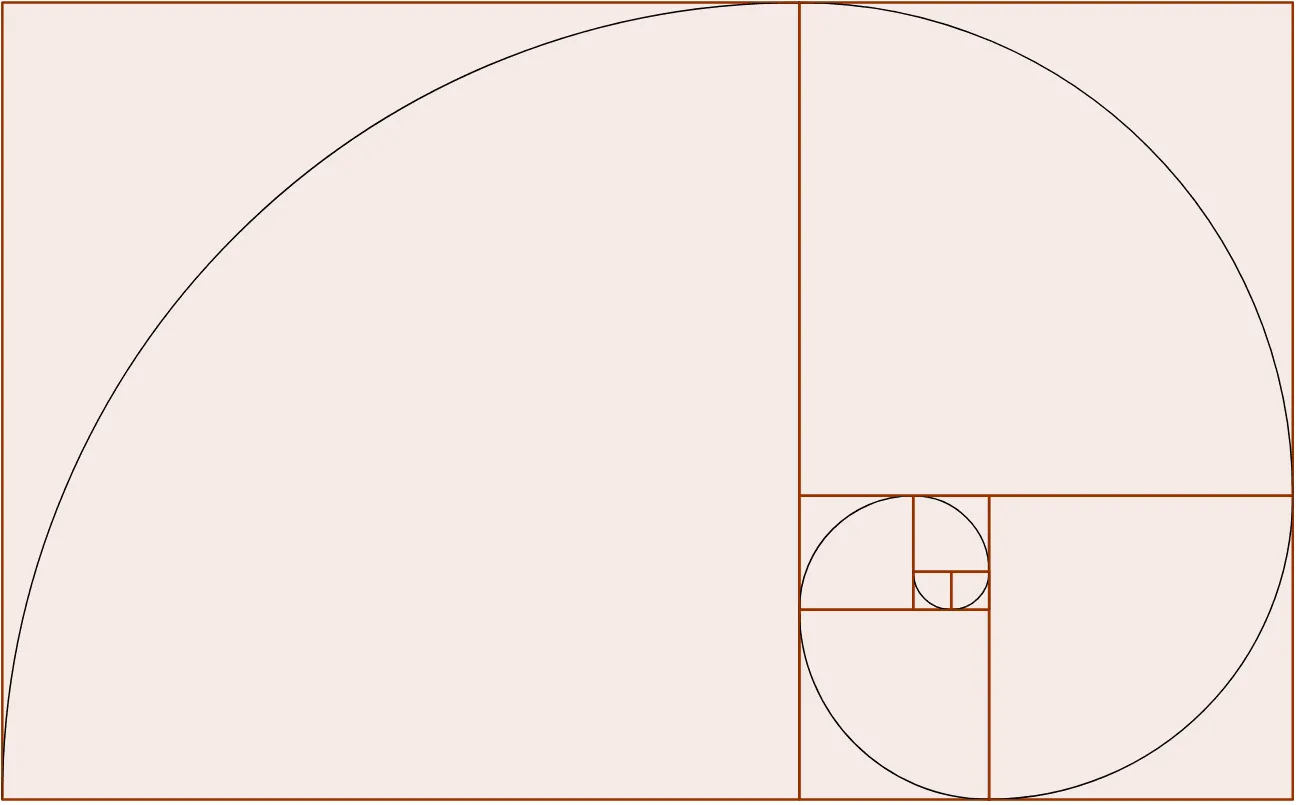
This example demonstrates how to construct a golden spiral using a square and inscribed circles, involving the golden ratio, geometric construction, sequences and series, and coordinate geometry. It utilizes GeoGebra commands like Intersect, Point, Polygon, and CircleArc. Suitable for high school and above students to understand the geometric significance of the golden ratio.
GeoGebra Commands & Parameters
Intersect(xAxis, yAxis) → APoint(xAxis) → BPolygon(A, B, 4) → poly1, a, b, c, d, C, DPolygon(C, B, 4) → poly2, e, f, g, h, E, FPolygon(D, F, 4) → poly3, i, j, k, l, G, HPolygon(A, H, 4) → poly4, m, n, p, q, I, JPolygon(E, J, 4) → poly5, r, s, t, a_1, K, LPolygon(G, L, 4) → poly6, b_1, c_1, d_1, e_1, M, NPolygon(I, N, 4) → poly7, f_1, g_1, o, i_1, O, PPolygon(K, P, 4) → poly8, h_1, j_1, k_1, l_1, Q, RCircleArc(C, D, B) → p_1CircleArc(C, B, F) → q_1CircleArc(D, F, H) → r_1CircleArc(A, H, J) → s_1CircleArc(E, J, L) → t_1CircleArc(G, L, N) → c_2CircleArc(I, N, P) → d_2CircleArc(K, P, R) → e_2
AI Drawing Prompt Reference
Draw a square and inscribe four circles inside it, with each circle's radius increasing to form a spiral. Connect the midpoints of the square's sides as the centers of the circles, draw arcs between adjacent circle centers, and connect the endpoints of the arcs to form a spiral.
The prompt above was compiled from the original drawing commands and is for reference only.