
Glide Reflection
Loading the math board and drawing, please wait…
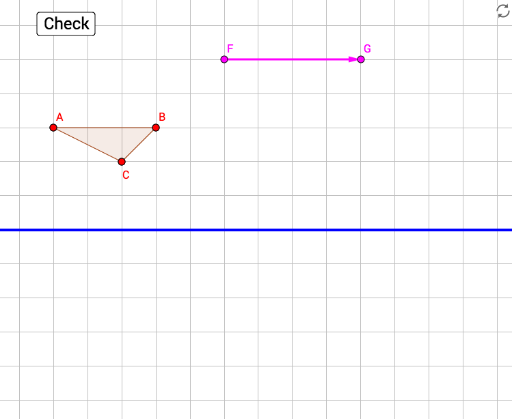
This example demonstrates the process of glide reflection, a type of geometric transformation. It involves first translating a figure along a straight line and then reflecting it. Using GeoGebra commands such as Vector, Polygon, Translate, and Mirror, the steps of the transformation are visually illustrated. Suitable for students at the junior high school level and above to learn about geometric transformations.
GeoGebra Commands & Parameters
Vector(F, G) → uPolygon(A, B, C) → poly1, c, a, bPolygon(A', B', C') → polyResponse, f, d, eLine(D, E) → gTranslate(B, u) → targetStep2Translate(A, u) → targetStep1Translate(C, u) → targetStep3Mirror(targetStep1, h) → target1Mirror(targetStep2, h) → target2Mirror(targetStep3, h) → target3Polygon(target1, target2, target3) → polyTarget, targetSeg3, targetSeg1, targetSeg2AreEqual(polyResponse, polyTarget) → correct1Mirror(A, h) → A'_1Mirror(B, h) → B'_1Mirror(C, h) → C'_1Polygon(A'_1, B'_1, C'_1) → polyStep1B, c'_1, a'_1, b'_1Polygon(targetStep1, targetStep3, targetStep2) → polyStep1A, targetstep2, targetstep1, targetstep3
AI Drawing Prompt Reference
Draw a triangle ABC, then translate it along vector u, and reflect it over line h. Repeat this process to form a new triangle. Pay attention to the relationships between the key objects in each step.
The prompt above was compiled from the original drawing commands and is for reference only.