
GG5 Dini's Surface
Loading the math board and drawing, please wait…
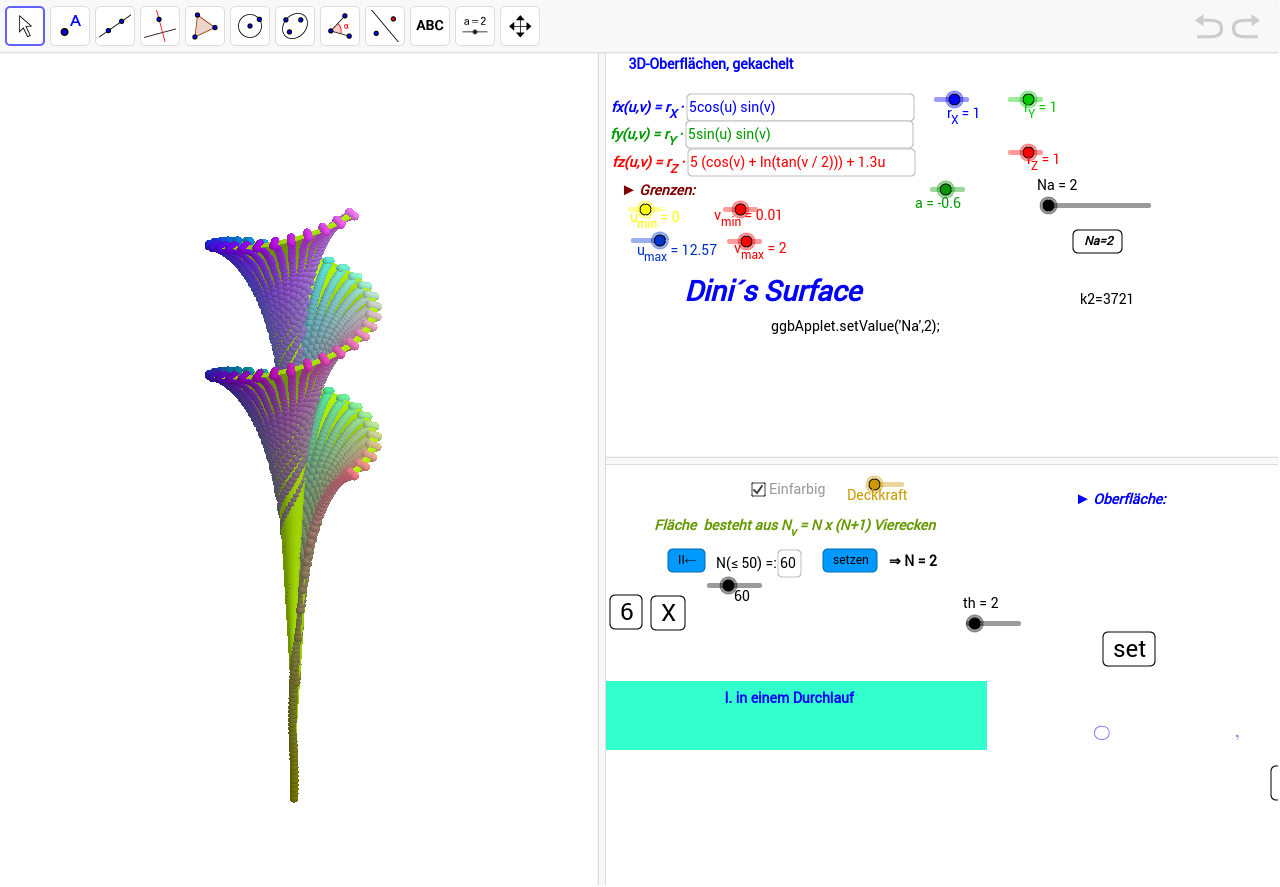
This example demonstrates the 3D graph of Dini's surface and its variations. It involves core mathematical concepts such as functions, parametric equations, integrals and limits in calculus, and normal distribution in probability & statistics. Construction highlights include using GeoGebra commands and objects like Sequence, Join, RemoveUndefined, Textfield, Max, Min, and Surface. Suitable for high school students and math enthusiasts learning surface construction and related concepts.
GeoGebra Commands & Parameters
Sequence(Sequence[(u_{min} + (i * dx), v_{min} + (j * dy)), i, 0, Na], j, 0, Na) → l1aJoin(l1a) → uvRemoveUndefined(X1) → X1ERemoveUndefined(Y1) → Y1ERemoveUndefined(Z1) → Z1ETextfield(X1) → inputBox1Textfield(Y1) → inputBox2Textfield(Z1) → inputBox3Max(X1E) → x1maxaMin(X1E) → x1minaMax(Y1E) → x2maxaMin(Y1E) → x2minaMax(Z1E) → x3maxaMin(Z1E) → x3minaTextfield(N) → inputBox6Surface((((r_X * 5) * cos(u)) * sin(v)), (((r_Y * 5) * sin(u)) * sin(v)), ((r_Z * 5) * (cos(v) + log(tan(v / 2)))) + (1.3 * u), u, u_{min}, u_{max}, v, v_{min}, v_{max}) → h
AI Drawing Prompt Reference
Create a 3D surface defined by parametric equations with two parameters u and v, where x, y, and z are scaled by adjustable coefficients. The surface resembles a twisted funnel with periodic undulations. Place three input boxes beside the graph to adjust the scaling factors for x, y, and z directions, and another input box for parameter N. Display the coordinate ranges (max and min values) for x, y, and z. The overall composition includes the surface, input controls, and numerical annotations, allowing exploration of how parameter changes affect the surface shape.
The prompt above was compiled from the original drawing commands and is for reference only.