
Geometric Visualization of Spherical Coordinates
Loading the math board and drawing, please wait…
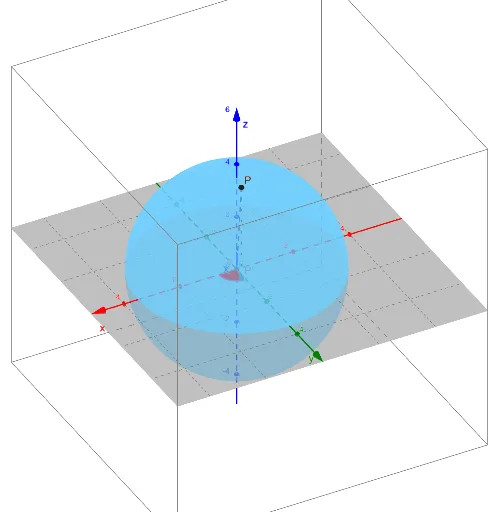
This example demonstrates how to represent the position of a point P in 3D space using spherical coordinates (ρ, φ, θ), and how to visually relate these parameters to spatial segments and measured angles. It focuses on the geometric meaning of the radial distance ρ and the angular coordinates (φ and θ), including the construction of angles from geometric segments and the use of projections/decompositions (e.g., parallel and perpendicular components) to connect to coordinate expressions. In GeoGebra, the construction is built with the Segment and Angle commands, using objects such as ρ, φ, θ, P, L, Z, together with auxiliary points/objects like X, P', and decomposition lines Lperp and Lpara, and angular parameters α and β. Finally, an equation object (eq1) encodes the relationship between the constructed geometry and the spherical-coordinate constraint. Suitable for high school advanced geometry, early university topics in coordinate systems/3D geometry, and for learning parameter-based geometric representations.
GeoGebra Commands & Parameters
Segment((0, 0, 0), P) → LSegment((0, 0, 0), (0, 0, 1)) → ZAngle(Z, L) → αSegment((0, 0, 0), (1, 0, 0)) → XSegment(P, P') → LperpSegment((0, 0, 0), P') → LparaAngle(X, Lpara) → β
AI Drawing Prompt Reference
Draw a point P in 3D space using spherical coordinates. Show the line segment from the origin to P, and from the origin to Z-axis. Calculate angles α and β, describing how they relate to the line segments. Construct parallel and perpendicular line segments to show the projection and decomposition of point P. Ensure the drawing is clear and illustrates the geometric meaning of spherical coordinates.
The prompt above was compiled from the original drawing commands and is for reference only.