
Geometric Transformations: Reflection, Rotation, Enlargement & Translation (1)
Loading the math board and drawing, please wait…
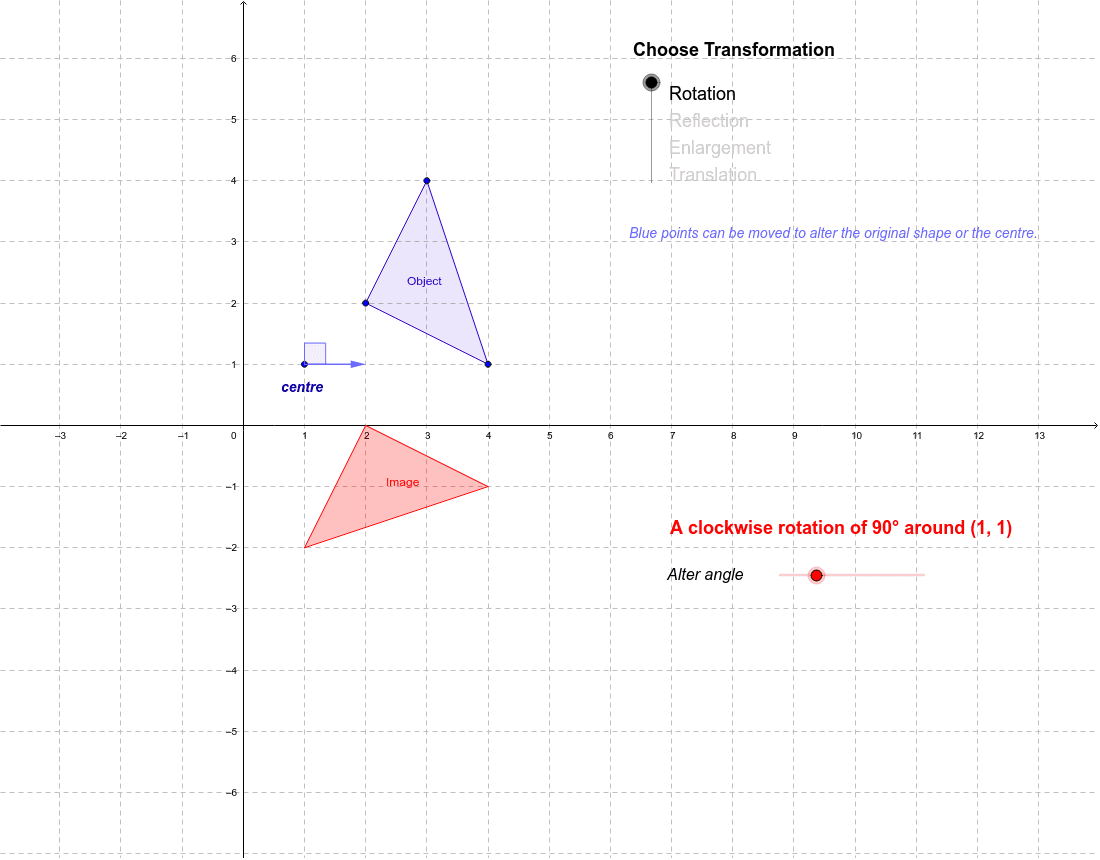
This example explores four basic geometric transformations: reflection, rotation, enlargement, and translation. Using GeoGebra commands like Polygon, Dilate, Rotate, Translate, etc., dynamic graphics are created to illustrate transformation principles. Key mathematical concepts include geometric transformations, coordinate geometry, and vectors. Construction involves defining transformation objects, applying commands, and adjusting parameters. Suitable for middle school or high school students learning geometric transformations, or for math teaching demonstrations.
GeoGebra Commands & Parameters
Polygon(C, D, B) → poly1, b, c, dDilate(C, a, A) → C'_1Dilate(D, a, A) → D'_1Dilate(B, a, A) → B'_1Polygon(C'_1, D'_1, B'_1) → poly1'_1, b', c', d'Ray(A, C) → eRay(A, B) → fRay(A, D) → gTranslate(C, Vector[(horz, vert)]) → C'_2Translate(D, Vector[(horz, vert)]) → D'_2Translate(B, Vector[(horz, vert)]) → B'_2Polygon(C'_2, D'_2, B'_2) → poly1'_2, b'_1, c'_1, d'_1Vector(C, C'_2) → uVector(B, B'_2) → vVector(D, D'_2) → wRotate(C, -α, A) → C'_3Rotate(D, -α, A) → D'_3Rotate(B, -α, A) → B'_3Polygon(C'_3, D'_3, B'_3) → poly1'_3, b'_2, c'_2, d'_2Point(xAxis) → ELine(F, E) → hMirror(C, h) → C'Mirror(D, h) → D'Mirror(B, h) → B'Polygon(C', D', B') → poly1', b'_3, c'_3, d'_3Vector(A, G) → zAngle(G, A, H) → β
AI Drawing Prompt Reference
Draw a triangle and scale it from a point to create a new triangle. Then translate the original triangle to get another one. Next, rotate the original triangle around a point to obtain a third triangle. Finally, reflect the original triangle across a line to get a fourth triangle. Show all points and lines involved in the transformations, and use arrows to indicate the direction and distance of translations and rotations.
The prompt above was compiled from the original drawing commands and is for reference only.