
Geometric Representation of the Real Number System via Polygon Construction
Loading the math board and drawing, please wait…
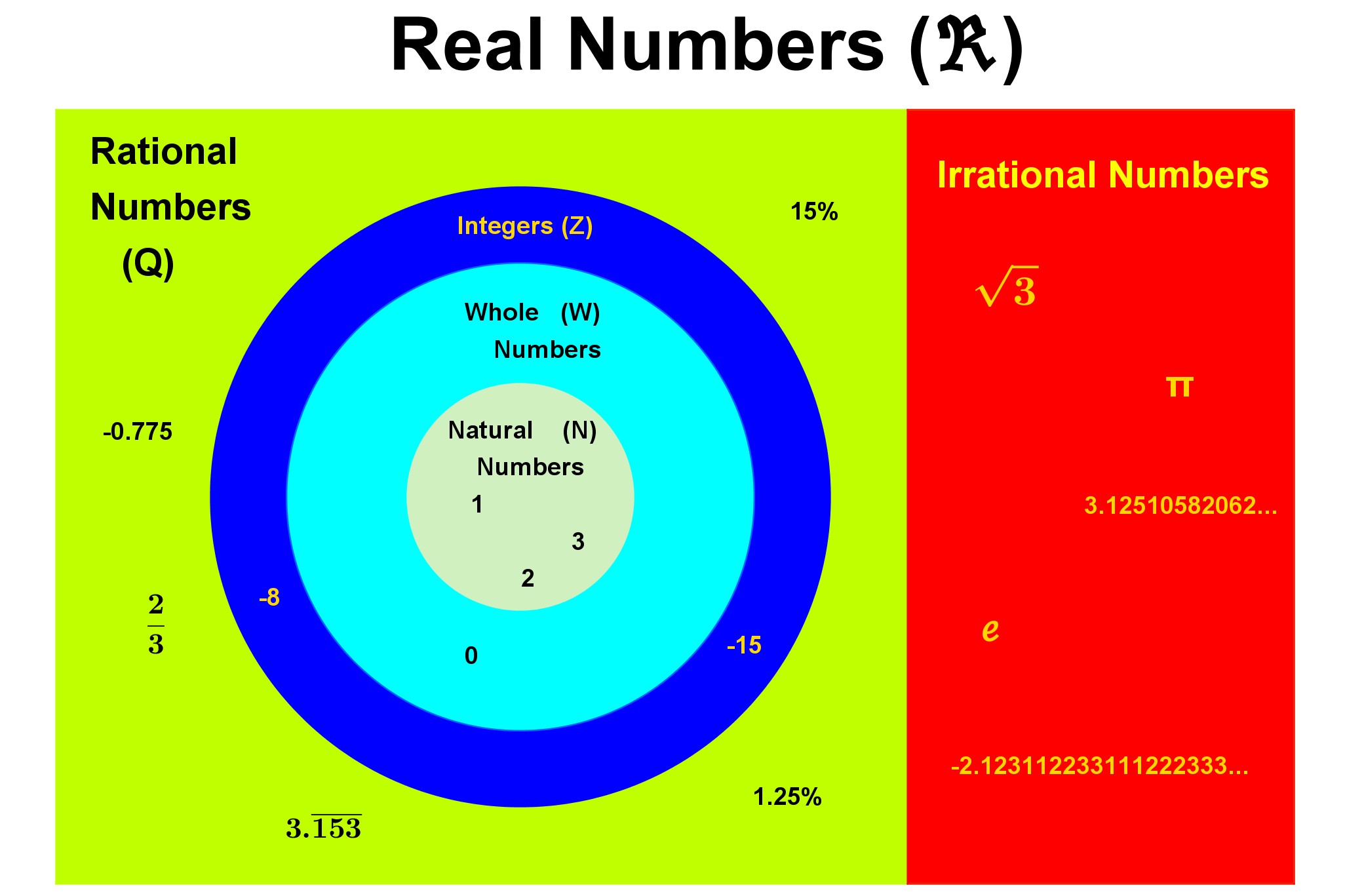
This GeoGebra example uses geometric construction (notably polygons) and labeling to illustrate how the Real Number System can be represented in an interactive visual structure. It supports an intuitive understanding of the set of real numbers and the hierarchy of number types (e.g., integers, rational numbers, and irrational numbers), emphasizing how mathematical concepts and symbols are organized and mapped to geometric elements. The construction relies on GeoGebra commands such as Polygon to create the main polygonal shapes, and SelectedIndex to link the current selection/index to the corresponding displayed items. Key objects referenced in the construction include the points/labels (A, B, C, D, a, b), the interface/title and level indicators (title, lvl1–lvl7), and number-type management elements (numTypes, numIndex, real1, int1, whole1, int2, rat1, frac2/frac3, rat2/rat3, irr1, real2). Suitable for middle school advanced learners and early university students, especially for introducing number-type classification in a visual, classroom-friendly way.
GeoGebra Commands & Parameters
Polygon(Corner[1], Shift1_r, Shift4_r, Corner[4]) → LeftPanel, a, shift1_r, shift4_r, bSelectedIndex(numTypes) → numIndex
AI Drawing Prompt Reference
Create a geometric representation of the real number system using polygon constructions, with different levels of geometric elements and labels to intuitively show the hierarchy of number sets like integers, rational numbers, and irrational numbers, emphasizing the mapping between mathematical concepts and geometric shapes, starting with an outer polygon and using selection and indexing to link various types of numbers to corresponding geometric elements internally.
The prompt above was compiled from the original drawing commands and is for reference only.