
Geometric Probability Interactive Demo (GeoGebra)
Loading the math board and drawing, please wait…
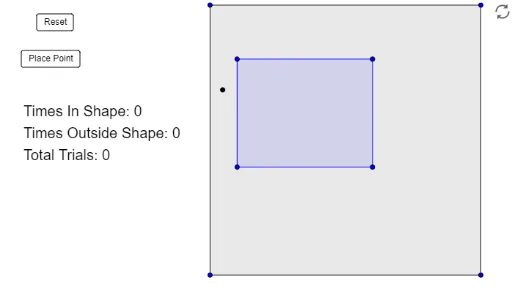
① This GeoGebra applet demonstrates the concept of geometric probability by randomly placing points inside a polygon and counting how many fall into a smaller target polygon, illustrating that probability equals the ratio of areas. ② Core mathematical concepts include geometric probability, area ratios, sample space, favorable outcomes, and basic set theory, making it an intuitive introduction to general probability. ③ Construction details: The applet uses the Polygon command to create two polygons (poly1 and poly2) representing the sample space and the event region; buttons (button1, button2) control point generation and reset; sliders or variables (a, b, c, d, e, f, g, h) adjust vertex positions; a text object (text1) displays the running frequency estimate. ④ Suitable for middle school, high school, or introductory college probability courses, ideal for classroom demonstrations or self-paced exploration to bridge geometric intuition and formal probability.
GeoGebra Commands & Parameters
Polygon(A, B, C, D) → poly1, a, b, c, dPolygon(E, F, G, H) → poly2, e, f, g, h