
Geometric Practice for Weighted Averages
Loading the math board and drawing, please wait…
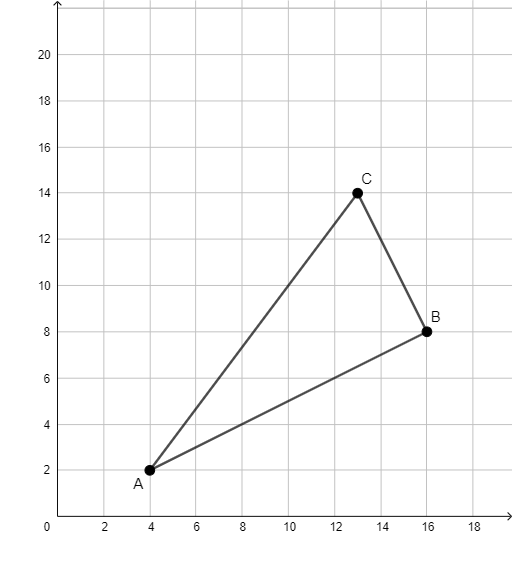
This example demonstrates how a weighted average can be visualized geometrically by linking weights to segment-length/proportion relationships, turning an algebraic averaging idea into an observable point-position phenomenon. The key mathematical concepts are weighted averages, the segment division (point on a line determined by ratios), and the correspondence between coordinate/function viewpoints and geometric constructions. In the construction, the example relies on GeoGebra’s geometric primitives: the command “Segment” is used to build the necessary line segments, with objects such as A, B, C and related entities f, g, h organized so that the resulting point (or the represented averaged quantity) is positioned according to the implied weighting/proportional rule. It is suitable for late middle school through early undergraduate learners, especially for classroom visualization, graphing-and-construction practice, and for strengthening intuition about proportion-to-averaging connections.
GeoGebra Commands & Parameters
Segment(C, A) → fSegment(A, B) → gSegment(B, C) → h
AI Drawing Prompt Reference
Draw a triangle with segments f, g, and h, where f connects point C to A, g connects point A to B, and h connects point B to C. Adjust the positions of points A, B, and C to observe how segment lengths reflect the concept of weighted averages and how the position of a point changes according to the weight ratios.
The prompt above was compiled from the original drawing commands and is for reference only.