
Geometric Intuition of Multiplying Numbers
Loading the math board and drawing, please wait…
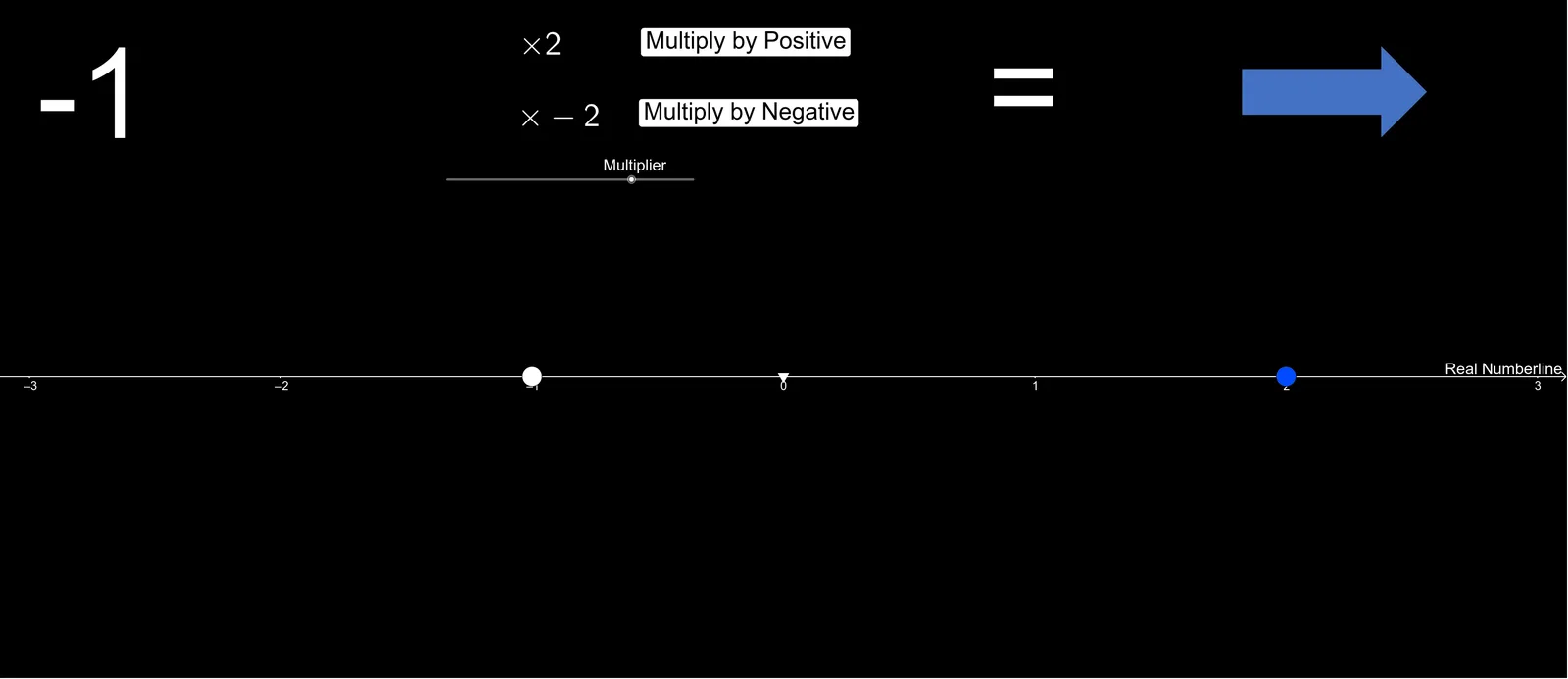
① This example dynamically visualizes the geometric meaning of multiplying two numbers, turning multiplication into a visual process of area or segment length. ② Core mathematical concepts include multiplication of natural numbers, sign rules for positive and negative multiplication, connections to binomial and normal distributions, as well as function graphs and intersections. ③ Construction highlights: uses GeoGebra commands Point and Element on integer lists, sliders n and variable a, objects InitVal, Pos, Neg, Val to distinguish positive/negative cases, MultiplyPositive and MultiplyNegative objects to show geometric effects, and text objects text1, text2, etc. for labeling results. ④ Suitable for middle school mathematics, helping students grasp the geometric essence of multiplication, especially the intuitive explanation of negative multiplication, and can also serve as an introduction to probability distributions.
GeoGebra Commands & Parameters
Point(xAxis) → BElement(Integerlist, n) → aPoint(Mirror[CircleArc[Midpoint[A, B], B, A], xAxis]) → D
AI Drawing Prompt Reference
On a coordinate plane, start with a point on the horizontal axis. Use an element from an integer sequence to determine another point. Connect these two points to form a segment, then draw a semicircle with this segment as its diameter. Reflect this semicircle across the horizontal axis to create a symmetric lower half. Pick a point on the reflected semicircle. This point, together with the original points, visually demonstrates the geometric meaning of multiplying two numbers: positive multiplication corresponds to the area or arc length of the upper semicircle, while negative multiplication shows the symmetric effect on the lower half. A slider controls the sequence value, dynamically showing how the sign of the product changes, with text labels indicating the current result.
The prompt above was compiled from the original drawing commands and is for reference only.