
Geometric Demo: Maximizing Backyard Area with Fixed Perimeter
Loading the math board and drawing, please wait…
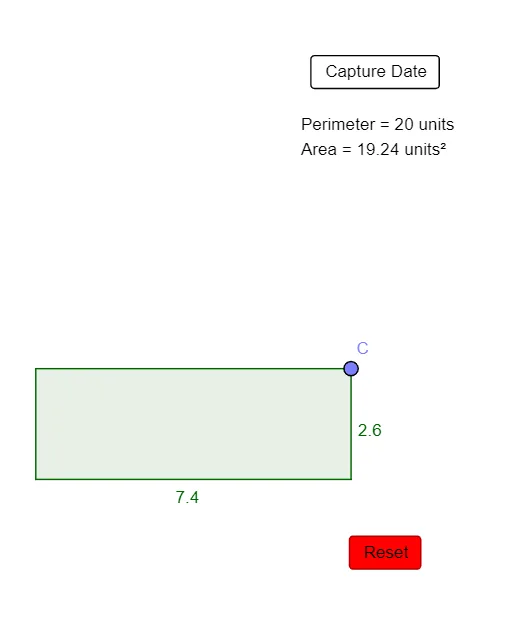
This example demonstrates how to maximize the area of a backyard when the perimeter (e.g., a fixed fence length) is constrained. As the configuration changes, the diagram reveals the geometric phenomenon behind area maximization under a length/edge constraint. The core ideas include optimization under geometric constraints, polygon/triangle geometry, perimeter as a control parameter, and using function-style relationships (with data sets) to connect parameters to computed area values; area computation can be related to integral calculus concepts when expressed through appropriate geometric measurements. In the construction, GeoGebra commands such as Point, Segment, Polygon, Perimeter, and PointIn are used to create vertices and a polygonal region, compute perimeter (e.g., perimeterpoly1), and test whether a point lies inside the region (PointIn). Objects like poly1, datax, datay, dataarea, and perimeterpoly1 store the evolving parameter–area data, while auxiliary points and interface controls (e.g., buttons and labels) support interactive comparison of configurations. Suitable for advanced middle/high school and early undergraduate lessons on geometric optimization, calculus intuition for area, and constraint-based modeling.
GeoGebra Commands & Parameters
Point(yAxis) → APoint(xAxis) → BSegment(A, B) → fPoint(f) → CPolygon((0, 0), (x(C), 0), C, (0, y(C))) → poly1, g, h, c, iPerimeter(poly1) → perimeterpoly1PointIn(poly1) → Pointpoly1_1PointIn(poly1) → Pointpoly1
AI Drawing Prompt Reference
Draw a diagram of a rectangular garden to show how to maximize area with a fixed perimeter. Include a rectangle, a perimeter line, variables for length and width, and labels for area and computed area. The construction order should start with the rectangle, then add the perimeter line, and finally label the variables and area.
The prompt above was compiled from the original drawing commands and is for reference only.