
Geometric Construction with Function Analysis Example
Loading the math board and drawing, please wait…
In collections
Function Arts
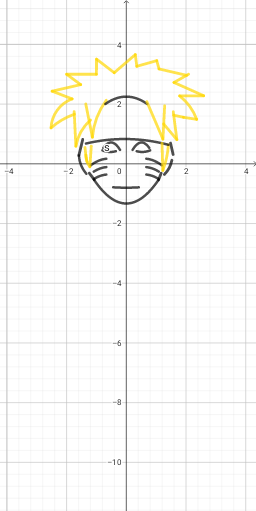
This GeoGebra example demonstrates how to combine geometric construction with function analysis. Using commands including Point, Segment, and CircumcircleArc to create basic geometric elements, along with multiple function objects (f, g, h, etc.) for comprehensive mathematical analysis. The construction involves: defining key points with Point command, connecting segments to form polygons or polylines, drawing arcs with CircumcircleArc, and studying various mathematical relationships through function objects. Core mathematical concepts include algebraic operations, exponential functions, rational expressions, and differential calculus basics (slope of tangents, rate of change). Suitable for upper secondary and early university students, this example demonstrates problem-solving methods combining geometry and algebra, or serves as a demonstration material for integrated applications of functions and geometry.
GeoGebra Commands & Parameters
Point(g) → DPoint(g) → ESegment(C, F) → jSegment(G, F) → kPoint(k) → ISegment(J, H) → nSegment(H, I) → aPoint(n) → LCircumcircleArc(K, O, N) → dSegment(L, M) → lSegment(M, N) → mSegment(K, P) → bSegment(Q, P) → eSegment(Q, R) → i_1CircumcircleArc(S, V, T) → c_1Segment(T, U) → j_1Point(yAxis) → D_1Point(g) → J_1CircumcircleArc(W, L_1, Z) → c_2Segment(K_1, Z) → n_1Segment(P_1, Q_1) → a_1Segment(N_1, M_1) → b_1CircumcircleArc(N_1, R_1, O_1) → d_2Point(f) → S_1Segment(S_1, A) → iPoint(a) → T_1Segment(V_1, W_1) → cCircumcircleArc(A_2, B_2, Z_1) → e_2Segment(D_2, B) → l_2CircumcircleArc(B, F_2, E_2) → s_2CircumcircleArc(F_2, E_2, C_2) → t_2CircumcircleArc(I_2, J_2, E) → c_3Segment(D, I_2) → n_2Point(n_1) → O_2Segment(S_2, T_2) → b_2Segment(U_2, T_2) → f_3Segment(S_2, Q_2) → g_3CircumcircleArc(Q_2, R_2, P_2) → d_3CircumcircleArc(O_2, V_2, P_2) → e_3Point(yAxis) → A_5Point(f_3) → B_5Point(i_1) → J_5Segment(H_5, I_5) → l_4Segment(G_5, H_5) → m_4Segment(F_5, G_5) → n_4Segment(F_5, E_5) → a_4Segment(D_5, E_5) → b_4Segment(D_5, C_5) → f_5Segment(B_5, C_5) → g_5Segment(I_5, J_5) → h_5
AI Drawing Prompt Reference
Create a comprehensive geometric construction diagram featuring multiple points, line segments, and circular arcs. Place key points on the coordinate plane, connect them with segments to form polygons or polylines, and draw several arcs. Include multiple function curves for mathematical analysis. The construction sequence starts with defining base points, then connecting segments, drawing arcs, and finally adding function objects. The overall composition combines geometry and algebra for advanced mathematical study.
The prompt above was compiled from the original drawing commands and is for reference only.