
Geometric construction of the cycloid (Cicloide)
Loading the math board and drawing, please wait…
In collections
geometriadinamica.es
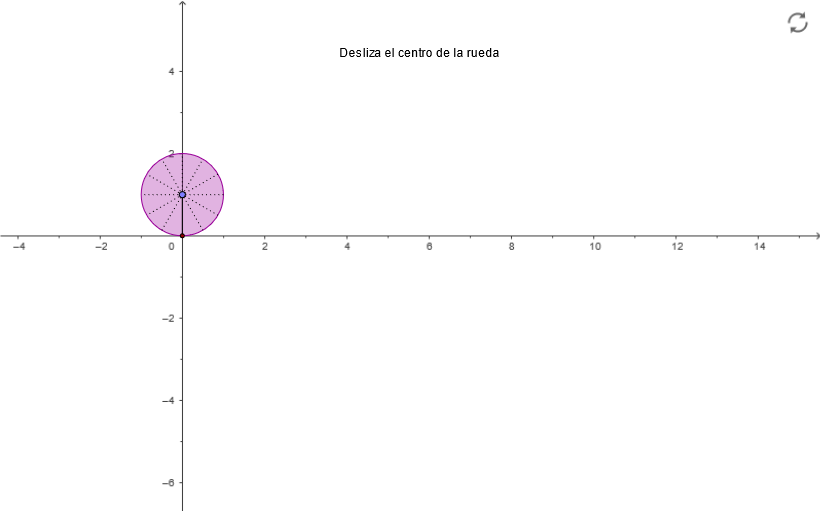
This example demonstrates how to construct the cycloid (cicloide) geometrically, revealing how a rolling circle generates a moving point whose path becomes the cycloid curve. Key mathematical ideas include the geometric definition of the cycloid, mapping between the wheel’s rotation and the trajectory point via intersections and perpendicular relations, and the role of circle geometry in setting the construction. Construction highlights from the provided GeoGebra commands: Point, Ray, Segment, Circle, Intersect, OrthogonalLine, and Rotate. The construction uses many intermediate labeled objects (e.g., C, B, A, F, E, D, t, r, P, T1, and others) to build the rotating wheel position and then derive the corresponding point on the curve by combining rotation, line/segment connections, and perpendicular projections. Suitable for high school through early undergraduate geometry/analytic-precalculus contexts, and for lessons on curve construction and intuitive parameterization.
GeoGebra Commands & Parameters
Point(yAxis) → BIntersect(xAxis, yAxis) → ARay(C, B) → aPoint(a) → FPoint(a) → EOrthogonalLine(C, yAxis) → bPoint(b) → DSegment(D, P) → eCircle(D, P) → hRotate(P, 29.999999999999996°, D) → GRotate(G, 29.999999999999996°, D) → HRotate(H, 29.999999999999996°, D) → IRotate(I, 29.999999999999996°, D) → JRotate(J, 29.999999999999996°, D) → KRotate(K, 29.999999999999996°, D) → LRotate(L, 29.999999999999996°, D) → MRotate(M, 29.999999999999996°, D) → NRotate(N, 29.999999999999996°, D) → ORotate(O, 29.999999999999996°, D) → QRotate(Q, 29.999999999999996°, D) → RSegment(J, Q) → iSegment(I, O) → jSegment(H, N) → kSegment(G, M) → lSegment(D, L) → mSegment(R, K) → n
AI Drawing Prompt Reference
Draw a cycloid generated by a rolling circle. Start with points A and B. Draw a ray from C to B, marking points F and E. Draw a perpendicular line from C to the y-axis, marking point D. Draw a circle with center D and radius P. Rotate point P around D multiple times to get points G to R. Connect these points with line segments i, j, k, l, m, n. The resulting figure is the cycloid.
The prompt above was compiled from the original drawing commands and is for reference only.