
Geometric Construction of Rotational Symmetry
Loading the math board and drawing, please wait…
In collections
geometriadinamica.es
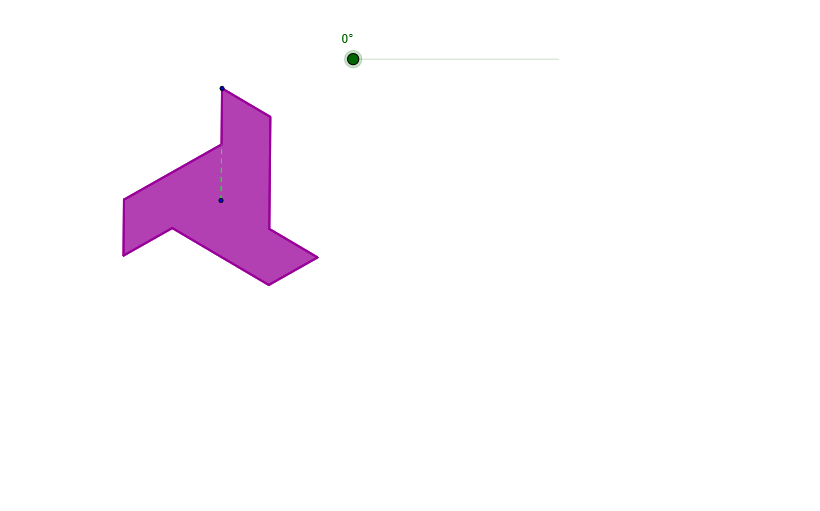
This example demonstrates how to model and verify rotational symmetry in a plane figure. Starting from a set of points/segments, the construction rotates them around a specified center by a chosen angle, producing corresponding images; the original and rotated figures can then be visually confirmed to match under the rotation. The key mathematics includes rotational transformation, symmetry (rotational symmetry / mapping between point sets), and foundational geometry relationships involving circles and intersection points, with the rotation angle (α) driving the construction deterministically. In GeoGebra, the main construction steps use: Circle to create constraint geometry, Intersect to locate crucial intersection points, Rotate to generate rotated counterparts (including primed objects representing images of original vertices), and additional tools such as Mirror (for comparison or auxiliary symmetry structure), Segment and Midpoint (for building and locating reference elements), and Polygon to assemble the overall multi-vertex figure (e.g., a parallelogram-like configuration). The resulting point correspondences (original vs. primed) make the symmetry relationship explicit. Suitable for secondary school geometry lessons and hands-on geometry construction practice.
GeoGebra Commands & Parameters
Circle(A, B) → cCircle(B, A) → dIntersect(d, c, 2) → CIntersect(d, c, 1) → DMirror(D, A) → EMirror(C, A) → FMirror(B, A) → ISegment(A, B) → aMidpoint(A, B) → GMidpoint(A, E) → HMidpoint(A, F) → JMidpoint(D, B) → KMidpoint(I, F) → LMidpoint(C, E) → MPolygon(B, G, M, E, H, L, F, J, K) → Q, b_1, g, m, e_1, h, l, f_1, j, kRotate(B, α, A) → B'Rotate(G, α, A) → G'Rotate(M, α, A) → M'Rotate(E, α, A) → E'Rotate(H, α, A) → H'Rotate(L, α, A) → L'Rotate(F, α, A) → F'Rotate(J, α, A) → J'Rotate(K, α, A) → K'Polygon(B', G', M', E', H', L', F', J', K') → Q', b', g', m', e', h', l', f', j', k'Segment(A, G') → b
AI Drawing Prompt Reference
Draw a geometric construction to demonstrate rotational symmetry. Start by drawing two intersecting circles centered at two points, and identify their intersection points. Then, reflect two other points across one of the points to get new points. Connect these points to form a polygon. Next, rotate the polygon around one of the points by a specified angle to obtain a rotated version. Finally, connect the midpoints of the rotated polygon to form a new polygon. Comparing the original and rotated shapes visually illustrates the rotational symmetry.
The prompt above was compiled from the original drawing commands and is for reference only.