
Geometric Construction and Properties of a Rhombus by Tleclerc18
Loading the math board and drawing, please wait…
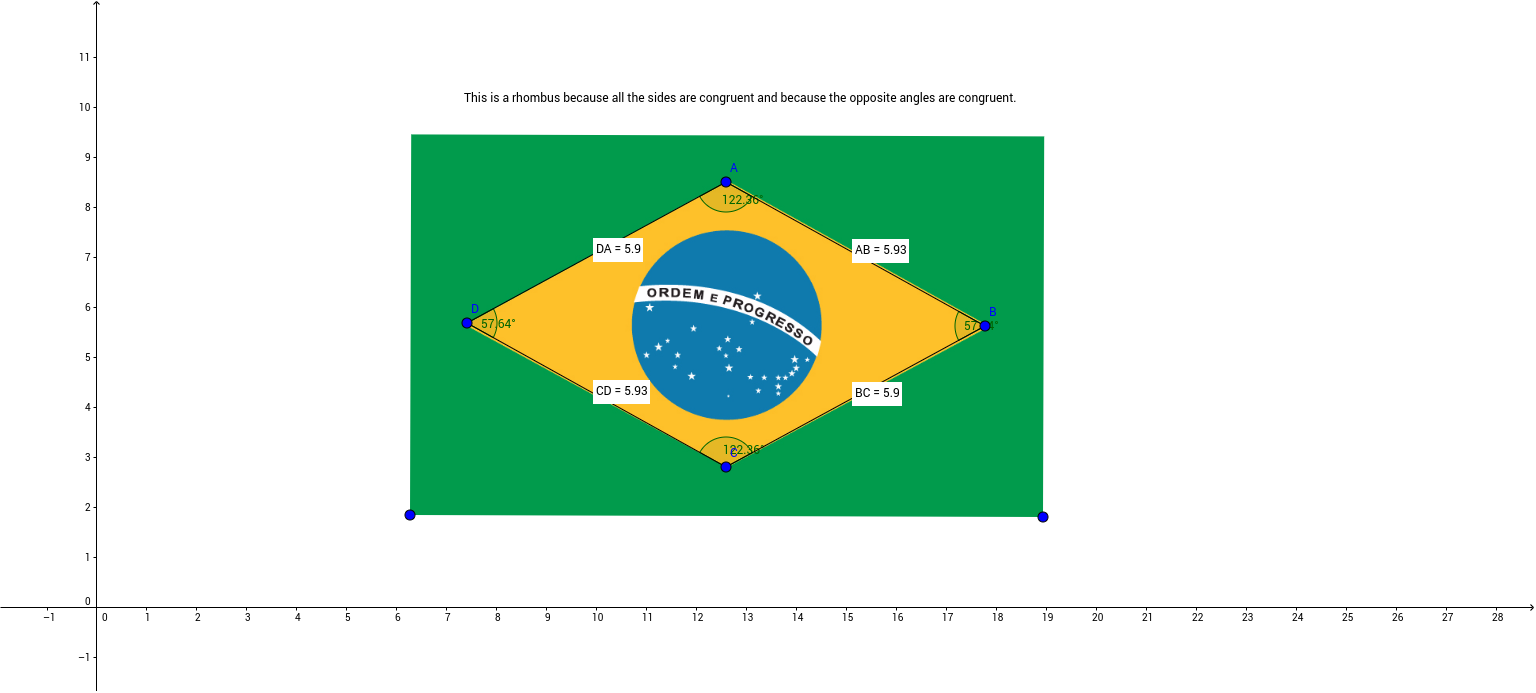
① This example demonstrates how to construct a rhombus in GeoGebra and display its side lengths, interior angles, and diagonal midpoints. ② Core mathematical concepts include polygons (rhombus), angles, segment lengths, midpoints, and the perpendicular bisector property of the diagonals. ③ Construction highlights: Segment command draws the four sides; Angle command marks interior angles; Distance command measures side and diagonal lengths; Midpoint command finds diagonal midpoints. Objects involved are vertices A, B, C, D, E, F, angles α, β, γ, δ, and text labels such as distanceAB, TextAB, etc. ④ Suitable for middle‑school geometry lessons on rhombus properties, high‑school geometric construction practice, or as a teacher’s instructional resource.
GeoGebra Commands & Parameters
Segment(D, A) → aSegment(A, B) → bSegment(C, B) → cSegment(D, C) → dAngle(A, B, C) → αAngle(B, C, D) → βAngle(C, D, A) → γAngle(D, A, B) → δDistance(D, A) → distanceDAMidpoint(D, A) →Distance(A, B) → distanceABMidpoint(A, B) →Distance(B, C) → distanceBCMidpoint(B, C) →Distance(C, D) → distanceCDMidpoint(C, D) →