
GeoGebra Segment Tool: Drawing Line Segments for Geometry Construction
Loading the math board and drawing, please wait…
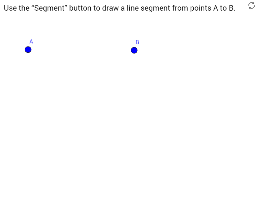
This example demonstrates how to use the GeoGebra Segment Tool to connect two points and create an interactive line segment. It covers core mathematical concepts such as points, line segments, geometric construction, and related ideas including the Pythagorean theorem, equilateral triangles, cuboids, and coordinate-based drawing. The construction summary shows the Segment command together with objects A, B, text1, zAnswer, and wellDone, indicating a workflow from selecting points to drawing a segment and providing textual feedback. It is suitable for middle-school geometry introductions, high-school coordinate geometry practice, GeoGebra tool training, and classroom demonstrations of basic construction tasks.
GeoGebra Commands & Parameters
Segment(A, B) → zAnswer
AI Drawing Prompt Reference
On a coordinate plane, place two distinct points and connect them with a straight line segment to form a clear, visible segment. This segment serves as the foundation for geometric construction, suitable for demonstrating concepts like triangles, the Pythagorean theorem, or solid shapes. The drawing should clearly show both endpoints and the connecting line, accompanied by a brief text note indicating that the segment has been successfully constructed, along with a positive feedback symbol. The overall layout is clean and educational, ideal for classroom use or introductory geometry practice.
The prompt above was compiled from the original drawing commands and is for reference only.