
GeoGebra Image Transformation: Resize, Reflect, and Distort
Loading the math board and drawing, please wait…
In collections
学习 GeoGebra 经典应用
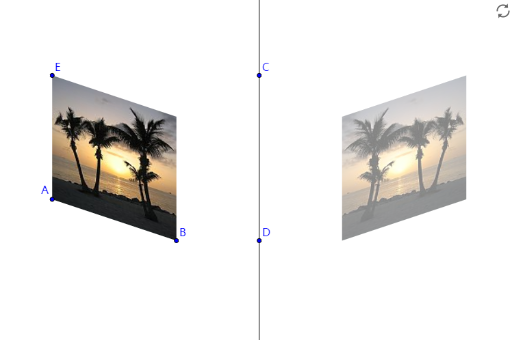
This example demonstrates how to resize, reflect, and distort an inserted image in GeoGebra. The key mathematical concepts involve geometric transformations and image manipulation. Construction involves using Line, Mirror commands and objects such as A, pic1, C, D, a, pic1', B, E. Suitable for middle or high school students learning geometric transformations and image processing.
GeoGebra Commands & Parameters
Line(C, D) → aMirror(pic1, a) → pic1'
AI Drawing Prompt Reference
Draw an image and then reflect it along a line CD, resize and distort it. First, draw a line CD, reflect the image pic1 along this line to get pic1', and then adjust the size and shape of pic1' to distort it.
The prompt above was compiled from the original drawing commands and is for reference only.