
GeoGebra Example: Representations of Linear Relationships
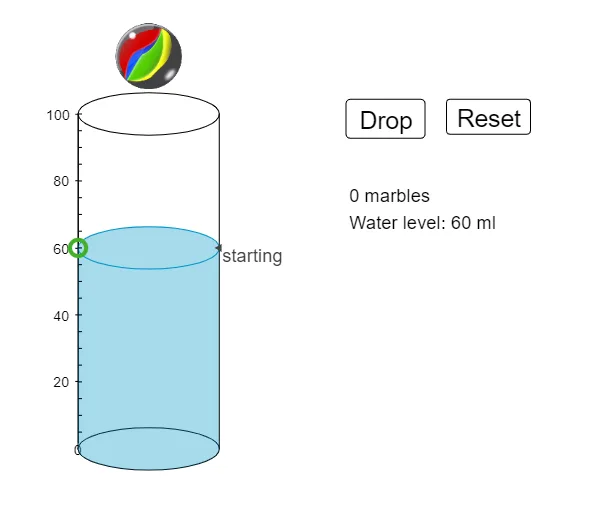
Loading the math board and drawing, please wait…
This example demonstrates how to use GeoGebra to construct 2D vectors and 3D shapes, showcasing various representations of linear relationships. Core math concepts include vector operations, coordinate geometry, polygon construction, and transformations. Key GeoGebra commands and objects used are Max, Midpoint, Translate, Segment, Join, Textfield, Sequence, and Polygon. Suitable for middle school and above mathematics learners for understanding and practicing geometric representations of linear relationships.
GeoGebra Commands & Parameters
Max(1, ceil(N / NS)) → rowsMidpoint(A, B) → ITranslate(c, Vector[A, E]) → c'Segment(A, E) → iJoin(Sequence[Sequence[(GR - (NS * SR), 0) + (i * ((2 * SR), 0)) + (j * (0, d)), i, 0, NS - 1], j, 0, rows]) → list1Segment(B, D) → jTranslate(c, (0, WH)) → c'_1Textfield(GH) → InputBox1Textfield(GR) → InputBox2Textfield(SR) → InputBox3Sequence(Translate[pic2, Vector[F, A + Element[list1, i]]], i, 1, N - 1) → list2Translate(pic2, Vector[F, F']) → pic2'Sequence(Segment[(0.25, i), (1, i)], i, 5, 100, 5) → list3Sequence(Text[i, (-10, i - 2)], i, 10, 100, 10) → list4Polygon(O, P, R, Q) → poly1, o, p, r, qPolygon(R, S, T, U) → poly2, r_1, s_1, t_1, u
AI Drawing Prompt Reference
Create 2D vectors and 3D shapes to illustrate various representations of linear relationships. Start by constructing a vector and finding the midpoint of two points. Then, perform translation operations based on this midpoint. Next, generate a sequence of line segments connecting specific points to form intricate geometric structures. Include text boxes for input parameters and use them to create a series of translated shapes. Finally, construct two polygons to demonstrate spatial linear relationships and transformation effects.
The prompt above was compiled from the original drawing commands and is for reference only.