
Geogebra Example - Rectangle
Loading the math board and drawing, please wait…
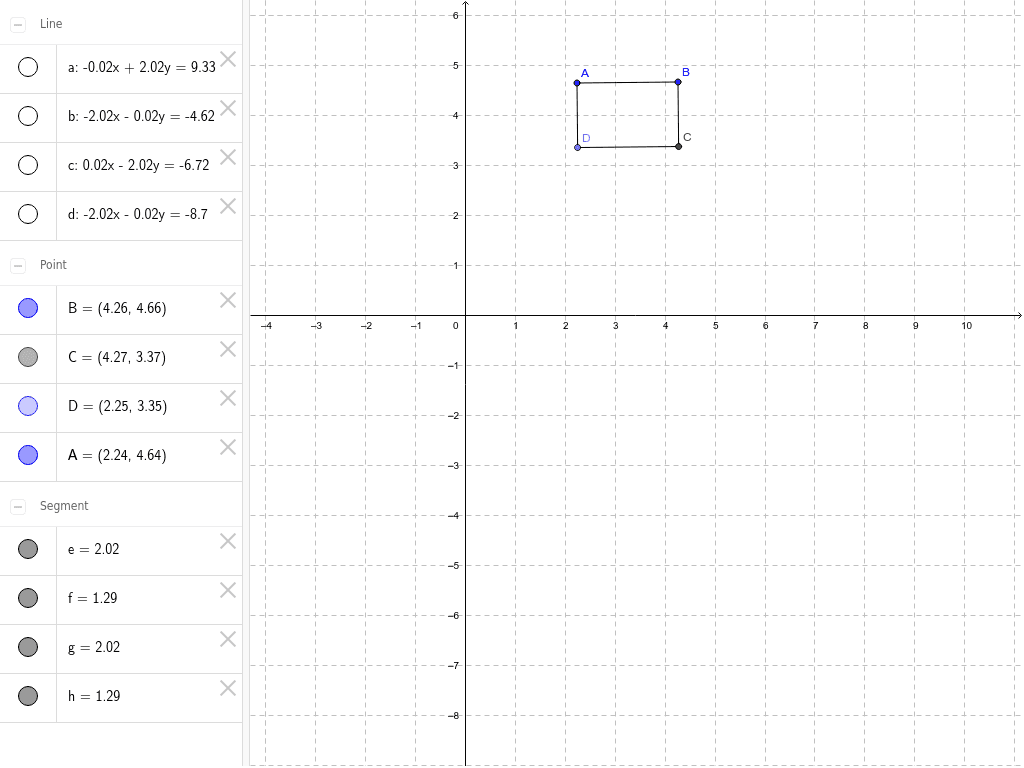
This example demonstrates how to construct a rectangle using GeoGebra. It involves core mathematical concepts such as points, lines, segments, intersections, and orthogonal lines. The construction uses commands like Line, OrthogonalLine, Point, Intersect, and Segment to create objects A, B, a, b, D, c, d, C, e, f, g, h. It is suitable for middle school students and above to learn geometric constructions and can also be applied to demonstrate random variables in probability statistics.
GeoGebra Commands & Parameters
Line(Α, B) → aOrthogonalLine(Α, a) → bPoint(b) → DOrthogonalLine(D, b) → cOrthogonalLine(B, a) → dIntersect(c, d) → CSegment(Α, B) → eSegment(Α, D) → fSegment(D, C) → gSegment(C, B) → h
AI Drawing Prompt Reference
Draw a rectangle. Start with two adjacent vertices and connect them to form a base side. Through one vertex, draw a perpendicular line to the base, and pick a point on this perpendicular as the third vertex. Then through this new vertex, draw a perpendicular to the perpendicular, and through the other base vertex, draw a perpendicular to the base. These two lines intersect to give the fourth vertex. Finally, connect all four vertices in order to complete the rectangle.
The prompt above was compiled from the original drawing commands and is for reference only.