
GeoGebra Example: Lines, Vectors, and Polygon Construction
Loading the math board and drawing, please wait…
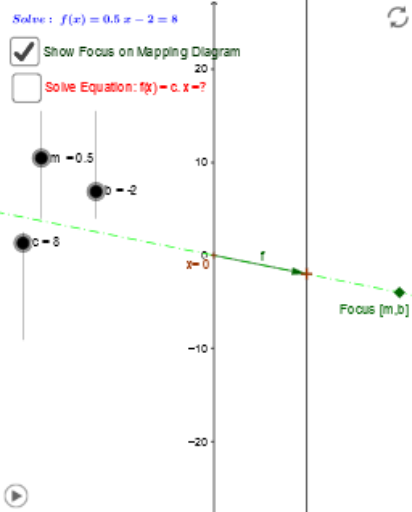
This example demonstrates how to construct geometric figures such as lines, vectors, and polygons using GeoGebra, showcasing intersection points and perpendicular lines. Core mathematical concepts include LCM, GCD, subtraction, straight line equations, trapezoid properties, and geometric distribution. Construction highlights involve commands like Point, Vector, Segment, Line, Intersect, OrthogonalLine, Ray, and objects such as b, m, a, A, f_1, B, f. Suitable for high school mathematics teaching, focusing on analytical geometry and geometric construction practice.
GeoGebra Commands & Parameters
Point(yAxis) → AVector(A, B) → fTextfield(f_1) → inputBox1Vector(x_1, y_1) → vSegment(f_x, F) → c_1Segment(E, F) → dSegment(A, x_1) → eSegment(B, y_1) → gSegment(B, y_1) → hLine(x_1, y_1) → iLine(A, B) → kIntersect(i, k) → FocusTextfield(c) → inputBox2Line(Focus, C) → nIntersect(n, e) → DIntersect(n, yAxis) → GSegment(G, C) → pVector(G, C) → uIntersect(f_1, q, 1) → IOrthogonalLine(I, q) → rIntersect(r, xAxis) → JVector(H, I) → wVector(I, J) → zVector(C, G) → sVector(I, H) → tVector(J, I) → u_1Ray(Focus, C) → g_1
AI Drawing Prompt Reference
Draw a horizontal line and a vertical line, marking their intersection as the focus. Create a vector from the focus to another point and use it to form a polygon. Take a point on the horizontal line, draw a line through it that intersects the vector's line, marking the intersection as D. Draw another line through D that intersects the horizontal line, marking the intersection as G. Draw a line segment from G to a vertex of the polygon and create a vector based on it. Finally, draw a ray from the focus to G.
The prompt above was compiled from the original drawing commands and is for reference only.