
Generating All Conic Sections
Loading the math board and drawing, please wait…
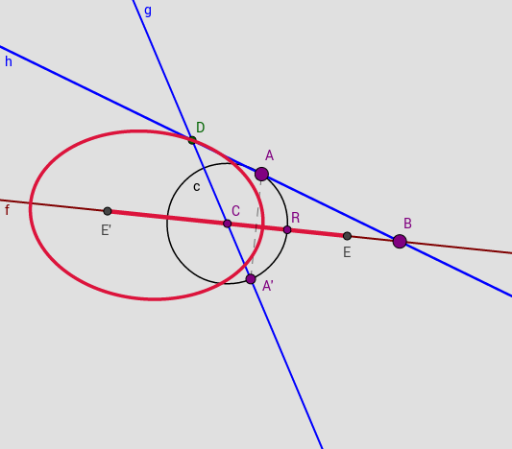
This example demonstrates how to dynamically construct all types of conic sections (ellipse, parabola, hyperbola) using GeoGebra. It involves core mathematical concepts like the definition of conic sections, translation, quadratic equations, rectangle, and congruence. Key construction elements include commands and objects such as Line, Point, Ray, Circle, Mirror, Intersect, Segment, and Locus. Suitable for high school students learning about the generation process and geometric properties of conic sections.
GeoGebra Commands & Parameters
Line(A_1, B_1) → fPoint(f) → CRay(C, B_1) → jPoint(j) → RCircle(C, R) → cPoint(c) → AMirror(A, f) → A'Line(C, A') → gPoint(f) → BCircle(C, B) → dIntersect(c, f, 2) → D_1Circle(R, Segment[C, R]) → eIntersect(e, f, 2) → ELine(A, B) → hIntersect(g, h) → DMirror(E, C) → E'Segment(E', E) → iRay(E', A_1) → kSegment(A', A) → lLocus(D, A) → loc1Locus(D, A) → loc2
AI Drawing Prompt Reference
Draw a dynamic illustration of all conic sections, featuring a line and two points, circles drawn through the line and points, new circles using intersections, and construct ellipses, parabolas, and hyperbolas through mirroring and intersections to show their generation process and geometric properties.
The prompt above was compiled from the original drawing commands and is for reference only.