
Function Notation Solve: Interactive Parabola & Piecewise Practice
Loading the math board and drawing, please wait…
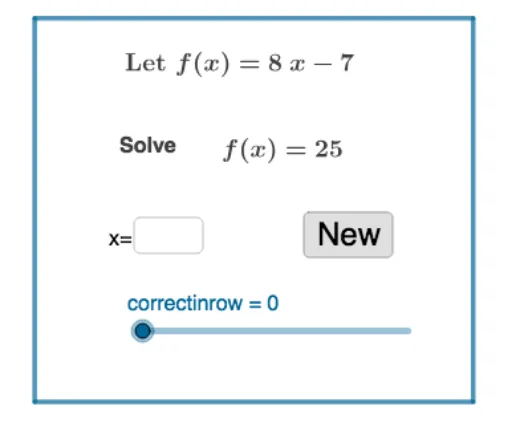
This GeoGebra example demonstrates an interactive exercise for solving function notation problems, such as evaluating f(x) for given inputs. It focuses on core math concepts including function definition, function evaluation, quadratic (parabola) graphs, piecewise functions, and random problem generation. Construction highlights: RandomElement and Random commands generate random coefficients a and b; the quadratic function f(x)=ax^2+bx+c is defined; Point and Intersect create points A, B, C, D; Textfield and InputBox1 provide user input fields; button1 triggers answer checking; Polygon draws auxiliary shapes; Simplify simplifies expressions; correctinrow tracks consecutive correct answers. Suitable for middle or high school math classes or self-study, this tool reinforces understanding of function notation and evaluation through randomized practice, making it engaging and adaptive.
GeoGebra Commands & Parameters
RandomElement(list1) → aRandom(-20, 20) → bSimplify((a * x) + b) → fRandom(-20, 20) → qTextfield(empty1) → InputBox1Point(yAxis) → APoint(xAxis) → CIntersect(xAxis, yAxis) → DPolygon(A, B, C, D) → q1, a_1, b_1, c, d
AI Drawing Prompt Reference
Draw a quadratic function graph with a random coefficient, including points A and C on the x-axis, point D on the y-axis, and a quadrilateral formed by these three points. The function form is f(x)=ax^2+bx+c, where a and b are random numbers between -20 and 20, and c is fixed. Users can input an x value, calculate f(x), and check the answer with a button.
The prompt above was compiled from the original drawing commands and is for reference only.