
Function-Generated Mandala
Loading the math board and drawing, please wait…
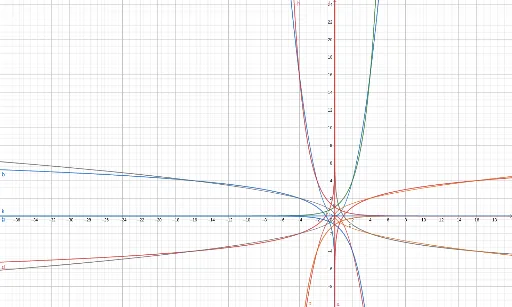
This example demonstrates how to create a mandala pattern using mathematical functions. It involves core concepts like functions, coordinate geometry, symmetry, and parametric equations. GeoGebra commands/objects such as f, g, a, b, h, p, c, d, i, j, k, l, m, n, q, r, e, s, t, c_1 are utilized in the construction. Suitable for high school and above students to understand the symmetry and combination effects of function graphs.
GeoGebra Commands & Parameters
f: y = 2^(x)g: y = (-2^(x))x = 2^(y)x = (-2^(y))h: y = 2^((-x))p: y = (-2^((-x)))x = 2^((-y))x = (-2^((-y)))x = yx = (-y)y = 0x = 0x = -1x = 1y = 1y = -1y = x^(2)y = (-x^(2))x = y^(2)x = (-y^(2))
AI Drawing Prompt Reference
Create a mandala pattern using mathematical functions, including positive and negative exponential functions, symmetry transformations, and coordinate geometry relationships, by combining multiple function graphs to show symmetry and combination effects, start with basic function curves, then add symmetry axes and coordinate axes, finally combine positive and negative quadratic functions to form a complex and symmetric pattern.
The prompt above was compiled from the original drawing commands and is for reference only.