
Fractions and Attached Text: Slope and Translation in an Ellipse Function Graph
Loading the math board and drawing, please wait…
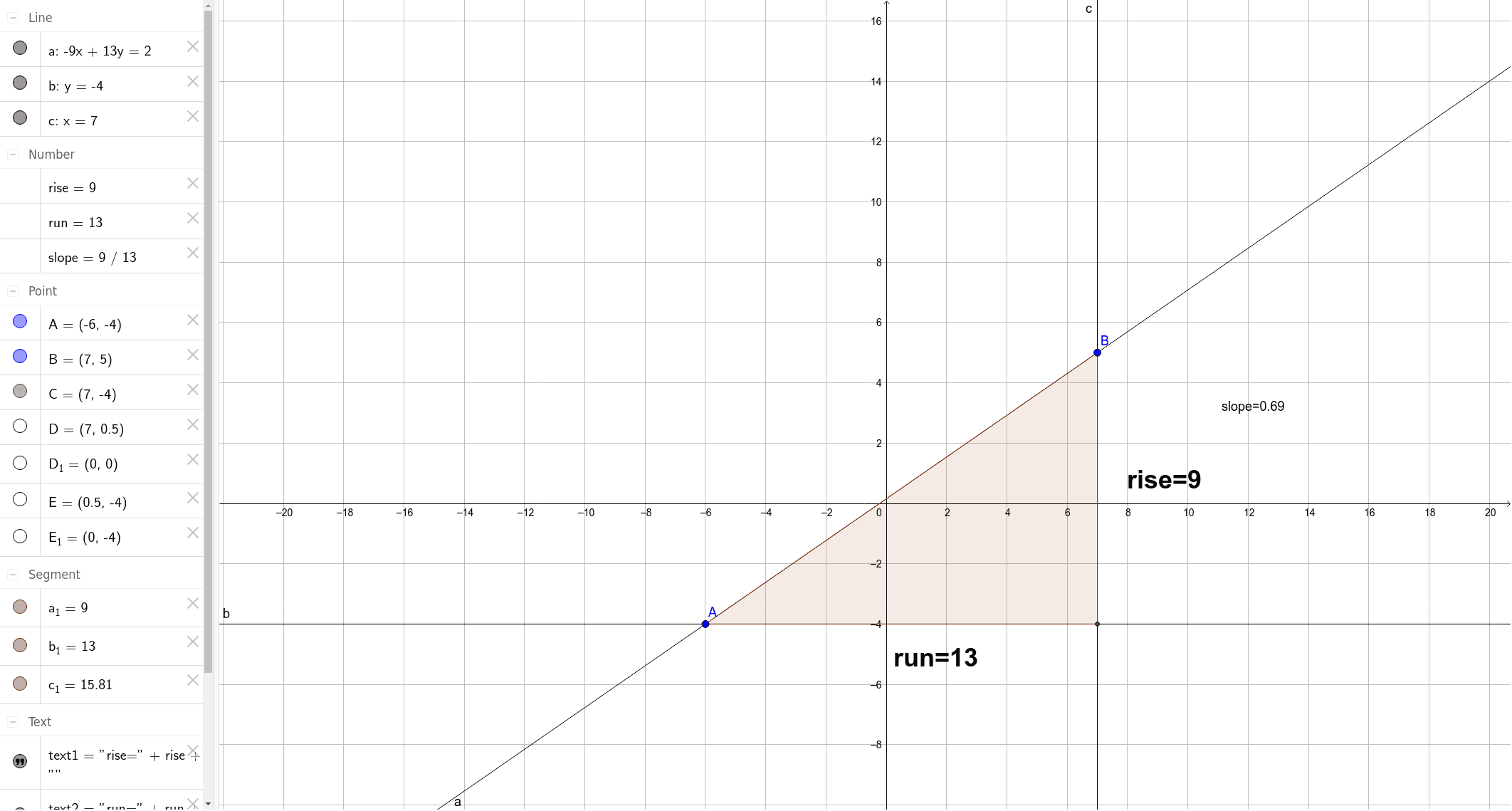
This GeoGebra example demonstrates a composite geometric construction involving fractions, an ellipse, a function graph, and translation. It shows how to use basic commands such as Line, OrthogonalLine, Intersect, Polygon, and Midpoint to build a quadrilateral within an elliptical context, while attached text objects (text1, text2, text3) display fractional values like slope, rise, and run in real time. The core mathematical concepts include fraction representation, ellipse equations, translation of function graphs, arithmetic mean, and properties of quadrilaterals. The construction highlights the use of auxiliary lines via Line and OrthogonalLine, determining key points with Intersect, forming a polygon with Polygon, computing midpoints with Midpoint, and attaching numerical text to visualize the relationship between fractions and geometric quantities. This resource is suitable for middle and high school mathematics education, helping students grasp the application of fractions in geometry, the effect of translation on function graphs, and how dynamic geometry software can make abstract algebraic concepts tangible.
GeoGebra Commands & Parameters
Line(A, B) → aOrthogonalLine(B, xAxis) → cOrthogonalLine(A, yAxis) → bIntersect(c, b) → CPolygon(A, B, C) → poly1, c_1, a_1, b_1Midpoint(A, C) → EMidpoint(B, C) → D