
Fraction of an Amount
Loading the math board and drawing, please wait…
In collections
Concrete-Pictorial-Abstract and the Teaching for Mastery
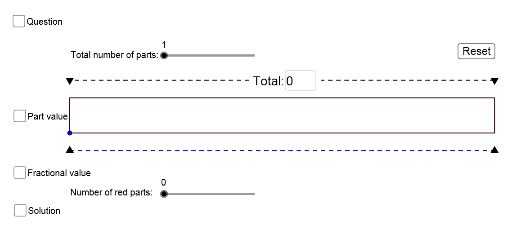
This example demonstrates how to represent a fraction of an amount using GeoGebra. Key mathematical concepts include fractions and proportions. It utilizes commands such as Polygon, Segment, Textfield, Midpoint, and Random. Suitable for middle school math education, aiding students in understanding the concept of fractions and their application in real-world problems.
GeoGebra Commands & Parameters
Polygon(B, A, C, D) → poly1, b, a, c, dSegment(B1, A1) → fSegment(B2, A2) → gSegment(B3, A3) → hSegment(B4, A4) → iSegment(B5, A5) → jSegment(B6, A6) → kSegment(B7, A7) → lSegment(B8, A8) → mSegment(B9, A9) → nSegment(B10, A10) → pSegment(B11, A11) → qSegment(C1, D1) → rSegment(D2, C2) → sSegment(D3, C3) → tSegment(D4, C4) → f_1Segment(F1, E1) → g_1Segment(F2, E2) → h_1Segment(F3, E3) → i_1Segment(F4, E4) → j_1Segment(F5, E5) → k_1Segment(F6, E6) → l_1Segment(H1, G1) → m_1Segment(H2, G2) → n_1Segment(H3, G3) → p_1Segment(H4, G4) → q_1Segment(J1, I1) → r_1Segment(J2, I2) → s_1Segment(J4, I4) → t_1Segment(J5, I5) → a_1Segment(J7, I7) → b_1Segment(J8, I8) → c_1Segment(D6, C6) → d_1Segment(D7, C7) → e_1Segment(D8, C8) → f_2Segment(D9, C9) → g_2Segment(L1, K1) → h_2Segment(L2, K2) → i_2Segment(L3, K3) → j_2Segment(L4, K4) → k_2Segment(L5, K5) → l_2Segment(L6, K6) → m_2Segment(L7, K7) → n_2Segment(L8, K8) → p_2Segment(L9, K9) → q_2Segment(L10, K10) → r_2Textfield(N1) → InputBox1Segment(E, F) → s_2Segment(E_1, F_1) → s_3Midpoint(I, K) → LMidpoint(K, J) → MSegment(I, K) → a_2Segment(K, J) → t_2Random(2, 12) → O1Random(1, O1 - 1) → O2Random(1, 12) → O3