
Fraction of a Given Amount (Probability)
Loading the math board and drawing, please wait…
In collections
Concrete-Pictorial-Abstract and the Teaching for Mastery
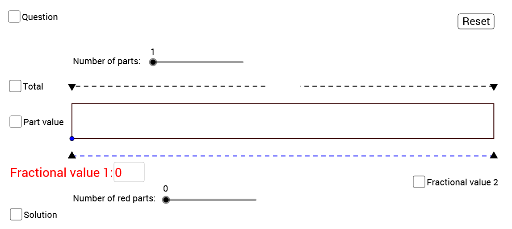
This example demonstrates how to use GeoGebra to construct geometric figures illustrating the concept of the fraction of a given amount in probability. Core math concepts include probability, set theory, and polygon construction. Key GeoGebra commands and objects used are Polygon, Segment, Textfield, Midpoint, and Random. Suitable for high school mathematics education, helping students understand the relationship between probability and geometric figures, and how to use technology tools for mathematical experimentation.
GeoGebra Commands & Parameters
Polygon(B, A, C, D) → poly1, b, a, c, dSegment(B1, A1) → fSegment(B2, A2) → gSegment(B3, A3) → hSegment(B4, A4) → iSegment(B5, A5) → jSegment(B6, A6) → kSegment(B7, A7) → lSegment(B8, A8) → mSegment(B9, A9) → nSegment(B10, A10) → pSegment(B11, A11) → qSegment(C1, D1) → rSegment(D2, C2) → sSegment(D3, C3) → tSegment(D4, C4) → f_1Segment(F1, E1) → g_1Segment(F2, E2) → h_1Segment(F3, E3) → i_1Segment(F4, E4) → j_1Segment(F5, E5) → k_1Segment(F6, E6) → l_1Segment(H1, G1) → m_1Segment(H2, G2) → n_1Segment(H3, G3) → p_1Segment(H4, G4) → q_1Segment(J1, I1) → r_1Segment(J2, I2) → s_1Segment(J4, I4) → t_1Segment(J5, I5) → a_1Segment(J7, I7) → b_1Segment(J8, I8) → c_1Segment(D6, C6) → d_1Segment(D7, C7) → e_1Segment(D8, C8) → f_2Segment(D9, C9) → g_2Segment(L1, K1) → h_2Segment(L2, K2) → i_2Segment(L3, K3) → j_2Segment(L4, K4) → k_2Segment(L5, K5) → l_2Segment(L6, K6) → m_2Segment(L7, K7) → n_2Segment(L8, K8) → p_2Segment(L9, K9) → q_2Segment(L10, K10) → r_2Textfield(N1) → InputBox1Segment(E, F) → s_2Segment(E_1, F_1) → s_3Midpoint(I, K) → LMidpoint(K, J) → MSegment(I, K) → a_2Segment(K, J) → t_2Random(3, 12) → O1Random(1, O1 - 1) → O2Random(2, 12) → O4