
Fraction Multiplication Demo by 現代數學 Modern Mathematics
Loading the math board and drawing, please wait…
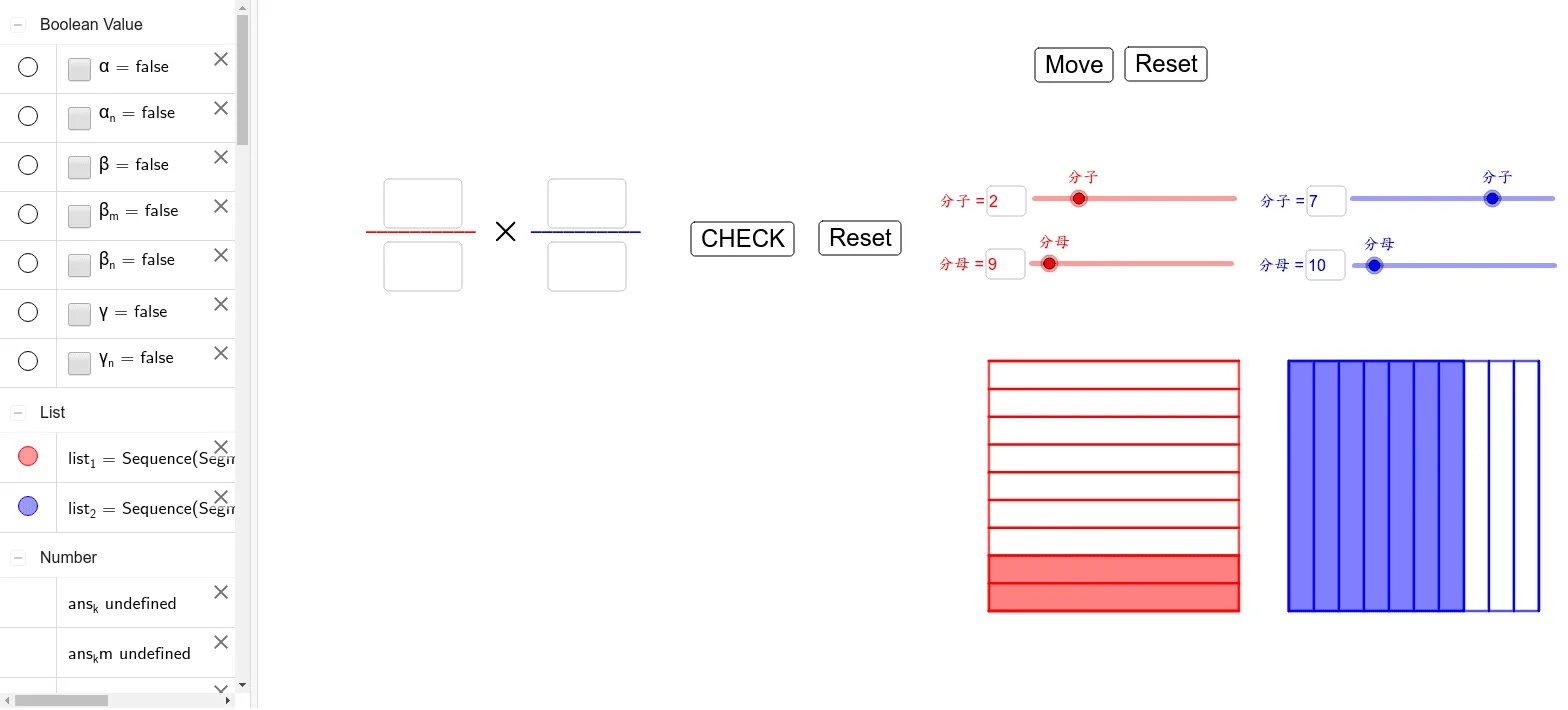
This example demonstrates the geometric meaning of fraction multiplication, visually showing the process of multiplying fractions through area changes of shapes; core math concepts include fraction multiplication, geometric area calculation, parametric curves, and polygon construction; construction highlights use GeoGebra commands/objects like Polygon, Sequence, and Textfield for dynamic graphics and parameter interaction; suitable for 5th grade students and above for intuitive teaching of fraction multiplication and geometric relationships.
GeoGebra Commands & Parameters
Polygon(A, B, D, C) → q1, a, b_1, d, cSequence(Segment[(r, a), (r + 5, a)], a, 0, 5, 5 / k) → list_1Polygon(A, B, D', C') → q2, a_1, b_2, d', c'Polygon(A', B', D'', C'') → q3, a', b', d'', c''Polygon(A', B'', D''', C'') → q4, a'_1, b'', d''', c''_1Sequence(Segment[(c, 0), (c, 5)], c, 6, 11, 5 / m) → list_2Textfield(l) → inputBox1Textfield(k) → inputBox2Textfield(n) → inputBox3Textfield(m) → inputBox4Textfield(ans_l) → inputBox5Textfield(ans_k) → inputBox6Textfield(ans_n) → inputBox7Textfield(ans_m) → inputBox8Textfield(ans_ln) → inputBox9Textfield(ans_km) → inputBox10Textfield(ans_lns) → inputBox11Textfield(ans_kms) → inputBox12
AI Drawing Prompt Reference
Create a dynamic diagram illustrating fraction multiplication through area. Start with a large rectangle divided horizontally into equal parts based on one fraction's denominator)Skip. Then, to its right or below, divide another rectangle vertically according to the second fraction's denominator. Use sliders or input boxes to adjust numerators and denominators, causing the grids to update and the overlapping region to be highlighted, representing the product. Include multiple text fields for entering fraction values, with the grid and highlighted area updating in real time.
The prompt above was compiled from the original drawing commands and is for reference only.