
Fraction Comparison Game
Loading the math board and drawing, please wait…
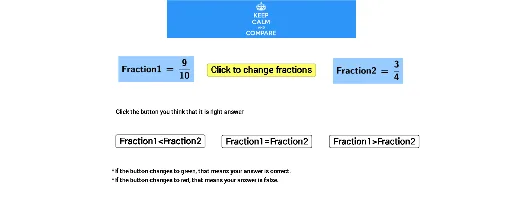
This example demonstrates the concept of comparing fractions. It involves core math concepts such as comparing the size of fractions. Using GeoGebra commands like Random and LaTeX, an interactive game is created where students can compare fractions by clicking buttons. This example is suitable for high-grade elementary and junior high school students to better understand the concept of fractions.
GeoGebra Commands & Parameters
Random(2, 20) → dRandom(2, 20) → bRandom(1, b - 1) → aRandom(1, d - 1) → cLaTeX(Fraction1, true, true) → text1LaTeX(Fraction2, true, true) → text2
AI Drawing Prompt Reference
Create an interactive game to demonstrate the concept of comparing fractions. Randomly generate two integers between 2 and 20, and two other integers between 1 and the first minus 1, and between 1 and the second minus 1. Display the fractions a/b and c/d in LaTeX format at appropriate positions to allow comparison.
The prompt above was compiled from the original drawing commands and is for reference only.