
Fraction Comparison by jfoster7
Loading the math board and drawing, please wait…
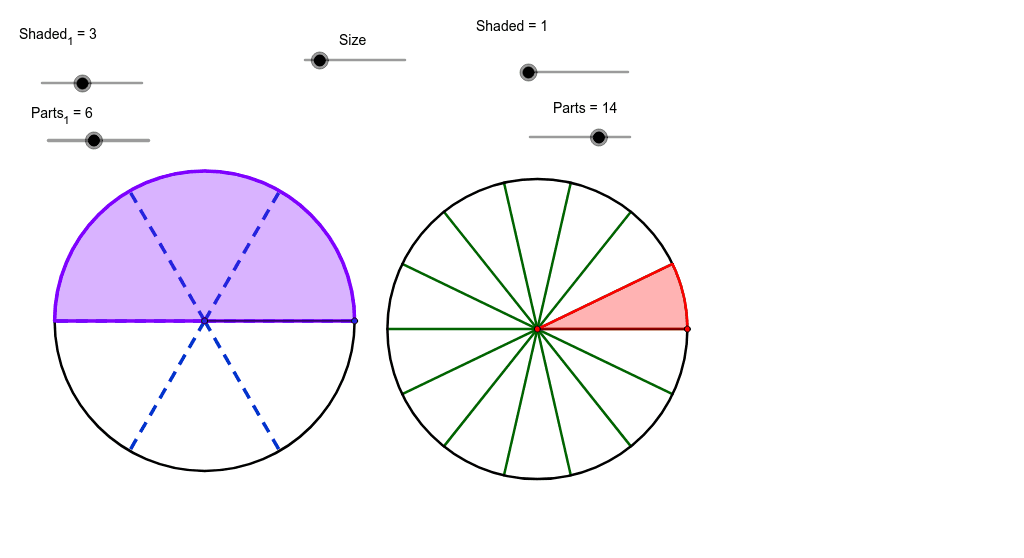
This example visually demonstrates how to compare two fractions using circles. ① It illustrates how to represent fractions by the area of circles. ② Key math concepts involved include fractions, area, and geometric representation. ③ Construction highlights the use of GeoGebra commands/objects like Circle, Point, Segment, Append, CircleSector, and Zip. ④ Suitable for middle school mathematics education, helping students understand the geometric meaning of fraction comparison.
GeoGebra Commands & Parameters
Circle(A, Size) → cPoint(c) → BSegment(A, B) → aAppend(Sequence[Rotate[B, i, A], i, (360 / Parts_1)°, 359.9*°, (360 / Parts_1)°], Rotate[B, 359.99*°, A]) → ListPCircleSector(A, B, Element[ListP, Shaded_1]) → ShadeCircle(C, Size) → dPoint(d) → DAppend(Sequence[Rotate[D, s, C], s, (360 / Parts)°, 359.9*°, (360 / Parts)°], Rotate[D, 359.99*°, C]) → ListP2CircleSector(C, D, Element[ListP2, Shaded]) → Shade2Segment(C, D) → bZip(Segment[C, W], W, ListP2) → ListS2Zip(Segment[A, Z], Z, ListP) → ListS
AI Drawing Prompt Reference
Draw two concentric circles, represent two fractions by dividing the area of the circles into sectors with different angles, and use different colors to highlight the sectors, visually demonstrating the comparison of fractions.
The prompt above was compiled from the original drawing commands and is for reference only.