
Tangent Line Practice: Constructing Tangents to a Circle
Loading the math board and drawing, please wait…
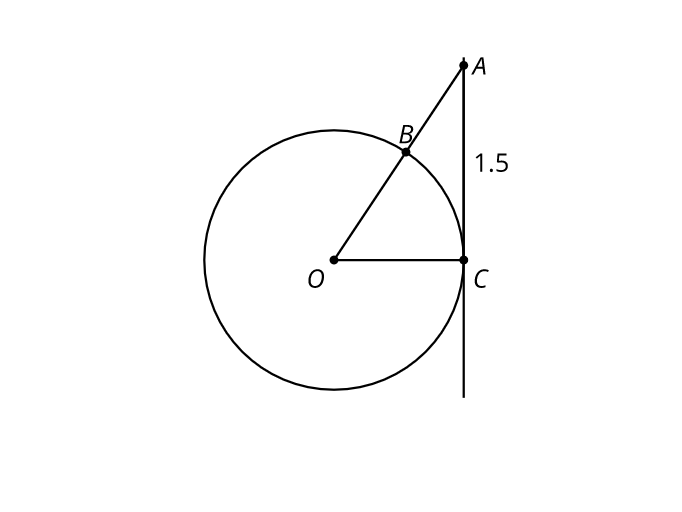
This example demonstrates how to construct tangent lines to a circle (or, more generally, a curve) by using geometric properties such as tangency and perpendicularity. It focuses on core ideas including the definition of a tangent, the fact that the radius to the point of tangency is perpendicular to the tangent line, and geometric criteria for locating and verifying the tangent. Construction-wise, the provided construction summary is empty, so exact GeoGebra commands cannot be enumerated; however, the typical workflow involves creating a circle and the given point, constructing the radius (or the line from the center to the tangency point), then drawing the perpendicular line through the tangency point to obtain the tangent, and finally confirming tangency via constraints like perpendicularity. Suitable for middle and high school geometry instruction and for students practicing geometric constructions and tangent-line reasoning.
AI Drawing Prompt Reference
Draw a circle in the plane and choose a point outside the circle. Connect the outside point to the circle’s center to indicate the direction toward the tangency. Then select the tangency point on the circle as a key reference, and ensure that the radius segment from the center to this tangency point is perpendicular to the tangent line. Construct the tangent as the line through the tangency point that is perpendicular to the radius-to-tangency line. Use this perpendicularity relationship as the main verification of the tangent condition, suitable for practicing tangent-line construction and reasoning.
The prompt above was compiled from the original drawing commands and is for reference only.