
Fraction Addition Example
Loading the math board and drawing, please wait…
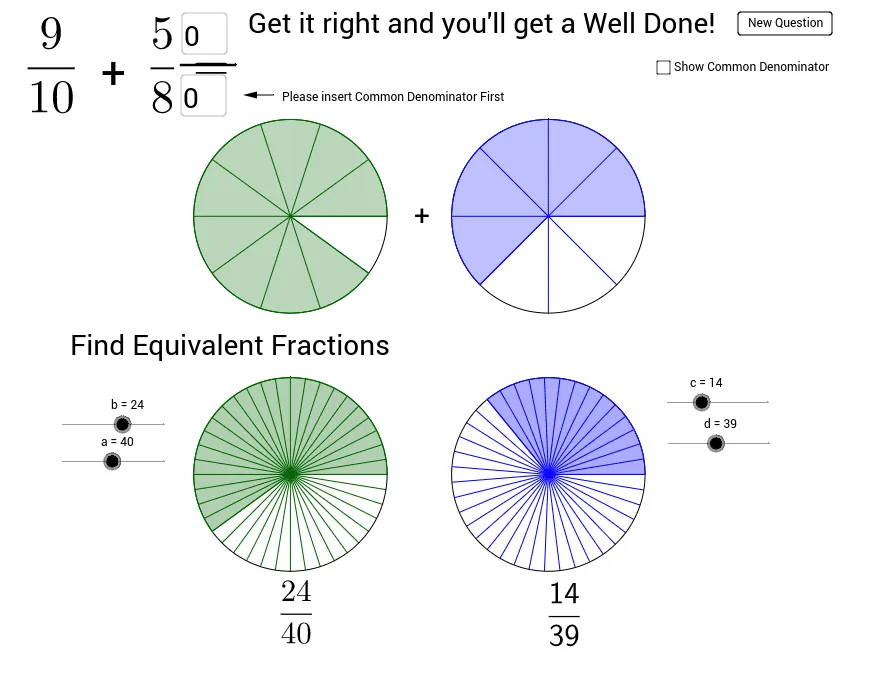
This example demonstrates fraction addition. It involves basic concepts of fractions and addition. Using GeoGebra commands such as Random, Circle, Sequence, etc., the process of fraction addition is dynamically shown. Suitable for high-grade elementary or junior high school students to learn fraction addition.
GeoGebra Commands & Parameters
Random(2, 10) → D1Random(2, 10) → D2Random(1, D1 - 1) → N1Random(1, D2 - 1) → N2Circle((5, 5), 1.5) → C1Sequence(Rotate[B, 360° * i / D1, (5, 5)], i, 1, D1) → list1Sequence(Segment[A, Element[list1, i]], i, 1, D1) → list2Sector(C1, B, Element[list1, N1]) → c_1Circle((9, 5), 1.5) → C2Sequence(Rotate[D, 360° * i / D2, (9, 5)], i, 1, D2) → list3Sequence(Segment[C, Element[list3, i]], i, 1, D2) → list4Sector(C2, C, Element[list3, N2]) → d_1Circle((5, 1), 1.5) → C3Circle((9, 1), 1.5) → C4Sequence(Rotate[F, 360° * i / a, E], i, 1, a) → list5Sequence(Segment[E, Element[list5, i]], i, 1, a) → list6Sector(C3, E, Element[list5, b]) → eCircle((5, 1), 1.5) → C5Sequence(LCM[D1, D2] * i, i, 1, 5) → PossibleSequence(Rotate[H, 360° * i / d, G], i, 1, d) → list7Sequence(Segment[G, Element[list7, i]], i, 1, d) → list8Sector(C4, G, Element[list7, c]) → gCircle(G, 1.5) → C6Textfield(ans5) → inputBox5Segment(M, N) → jIf(ans6 ∈ Possible, true, false) → STextfield(ans1) → inputBox1Vector(O, P) → u