
Fraction Addition Demo by Tom Harding
Loading the math board and drawing, please wait…
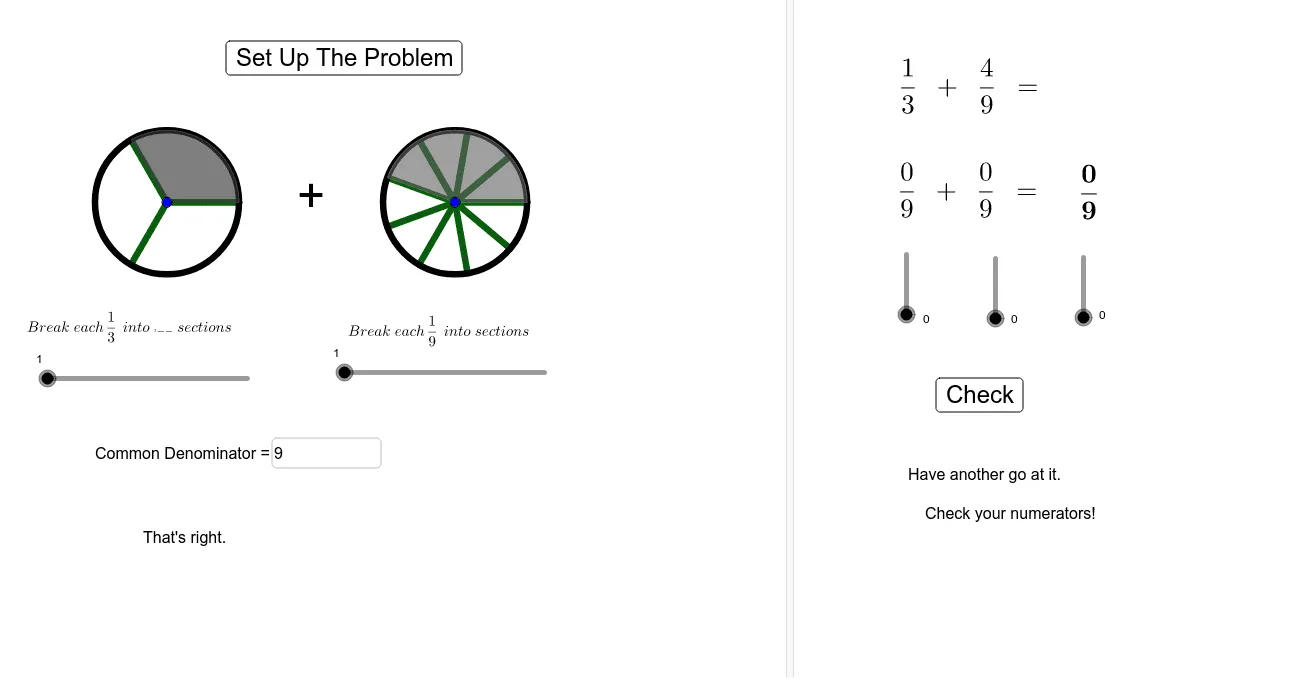
This example demonstrates how to visualize fraction addition in GeoGebra through graphical methods. It involves core mathematical concepts such as common denominator finding, numerator and denominator operations, and geometric representations. Key GeoGebra commands and objects used include Circle, Sequence, Sector, LCM, Numerator, and Textfield for constructing the demo. Suitable for middle school students and above for learning and teaching fraction operations.
GeoGebra Commands & Parameters
Circle((0, 0), 1) → cCircle((4, 0), 1) → dSequence(Segment[LCenter, LCenter + (cos(((i * 2) * π / LDenom)), sin(((2 * π) * i / LDenom)))], i, 0, LDenom) → LeftDividersSequence(Segment[RCenter, RCenter + (cos(((i * 2) * π / RDenom)), sin(((2 * π) * i / RDenom)))], i, 0, RDenom) → RightDividersSequence(Segment[LCenter, LCenter + (cos(((i * 2) * π / ((LSections * LDenom)))), sin(((2 * π) * i / ((LSections * LDenom)))))], i, 0, (LDenom * LSections)) → list1Sector(c, (0, 0), (cos(((2 * π) * LNumerator / LDenom)), sin(((2 * π) * LNumerator / LDenom)))) → fSector(d, RCenter, RCenter + (cos(((2 * π) * RNumerator / RDenom)), sin(((2 * π) * RNumerator / RDenom)))) → eSequence(Segment[RCenter, RCenter + (cos(((i * 2) * π / ((RSections * RDenom)))), sin(((2 * π) * i / ((RSections * RDenom)))))], i, 0, (RDenom * RSections)) → list2LCM(LDenom, RDenom) → DenomNumerator(1.2) → aTextfield(UserD) → InputBox1Text(RandomElement[compliments]) → PositiveFeedbackRandomElement(exhortations) → NegativeFeedback