
Four Isometries
Loading the math board and drawing, please wait…
In collections
geometriadinamica.es
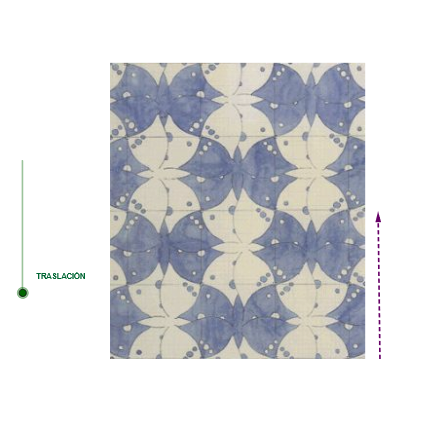
This example demonstrates the geometric effects and properties of four isometries (reflection, rotation, translation, scaling) in a 2D plane. It involves core mathematical concepts such as transformation, symmetry, vectors, coordinate geometry, and geometric construction. Key GeoGebra commands and objects used include Ray, OrthogonalLine, Point, Distance, Min, Circle, Intersect, Line, Vector, Length, Translate, Rotate, CircleSector, Angle, LineBisector, CircleArc, and Mirror. Suitable for high school and above students to learn and understand geometric transformations and their applications.
GeoGebra Commands & Parameters
Ray(B, A) → iOrthogonalLine(A, i) → jPoint(j) → A1Ray(A, A1) → mDistance(A, A1) → l3Min(l3, ((a - 9.5) * l3)) → d3Circle(A, d3) → sIntersect(s, m) → W_1, K_2OrthogonalLine(K_2, m) → b_1Line(F_2, b_1) → c_1Vector(F_2, O_2) → v_1Vector(B_{18}, C_{18}) → uLength(u) → l1Min(l1, ((a - 0.5) * l1)) → d1Circle(D_1, d1) → hLine(F, u) → bCircle(F, d1) → dIntersect(d, b, 2) → E_1Vector(F, E_1) → wTranslate(pic2, w) → pic2'Min(180, ((a - 3.5) * 180)) → r1Rotate(pic3, ((-r1))°, F_1) → pic3'Ray(A, B) → eOrthogonalLine(G_1, e) → fPoint(f) → H_1Rotate(H_1, r1°, G_1) → U_1Rotate(H_1, ((-r1))°, G_1) → V_1CircleSector(G_1, V_1, H_1) → gAngle(V_1, G_1, H_1) → αOrthogonalLine(A1, j) → kMin(c, ((a - 7) * c)) → d2Circle(A, d2) → pCircle(B, d2) → qCircle(A1, d2) → rIntersect(r, k, 2) → Z_1Intersect(p, e) → A_2, I_2Intersect(q, i) → B_2, J_2Circle(A1, d3) → tRay(A1, A) → lIntersect(t, l) → C_2, L_2OrthogonalLine(W_1, m) → nLine(Z_1, m) → a_1Intersect(n, a_1) → D_2LineBisector(A, B) → d_1LineBisector(A1, A) → e_1Intersect(a_1, b_1) → E_2OrthogonalLine(F_2, c_1) → f_1Point(f_1) → H_2Length(v_1) → l4Min(l4, ((a - 10.5) * l4)) → d4Circle(H_2, d4) → k_1Line(N_2, j) → i_1Line(P_2, c_1) → j_1Circle(P_2, d4) → p_1Intersect(p_1, j_1, 1) → G_2Vector(P_2, G_2) → zTranslate(pic7, z) → pic7'Intersect(p, e, 2) → M_2Point(d_1) → Q_2CircleArc(Q_2, A, B) → g_1OrthogonalLine(M_2, e) → h_1Intersect(g_1, h_1, 1) → SIntersect(e, d_1) → S_2Mirror(S, S_2) → S'Point(e_1) → R_2CircleArc(R_2, A1, A) → q_1OrthogonalLine(L_2, j) → l_1Intersect(q_1, l_1) → TT,Intersect(j, e_1) → U_2Mirror(TT, U_2) → TT'
AI Drawing Prompt Reference
Draw a geometric figure with reflections, rotations, translations, and scalings. Start by drawing points A and B, then draw a ray from A, followed by its perpendicular line and taking the foot of the perpendicular as A1. Draw another ray through A1. Draw the distance between A and A1, take the minimum value as the radius of a circle, and draw the circle, finding its intersection with the ray at points W1 and K2. Draw a perpendicular line through W1 and a parallel line through K2, finding their intersection at F2. Draw vectors v1 and u, taking the length of u as the radius of a circle, drawing the circle and finding its intersection with the vector at point E1. Translate and rotate the figure, draw an arc and an angle, and finally draw perpendicular lines and angle bisectors, finding their intersections to complete the figure.
The prompt above was compiled from the original drawing commands and is for reference only.