
Formation of a Sine Wave from the Unit Circle
Loading the math board and drawing, please wait…
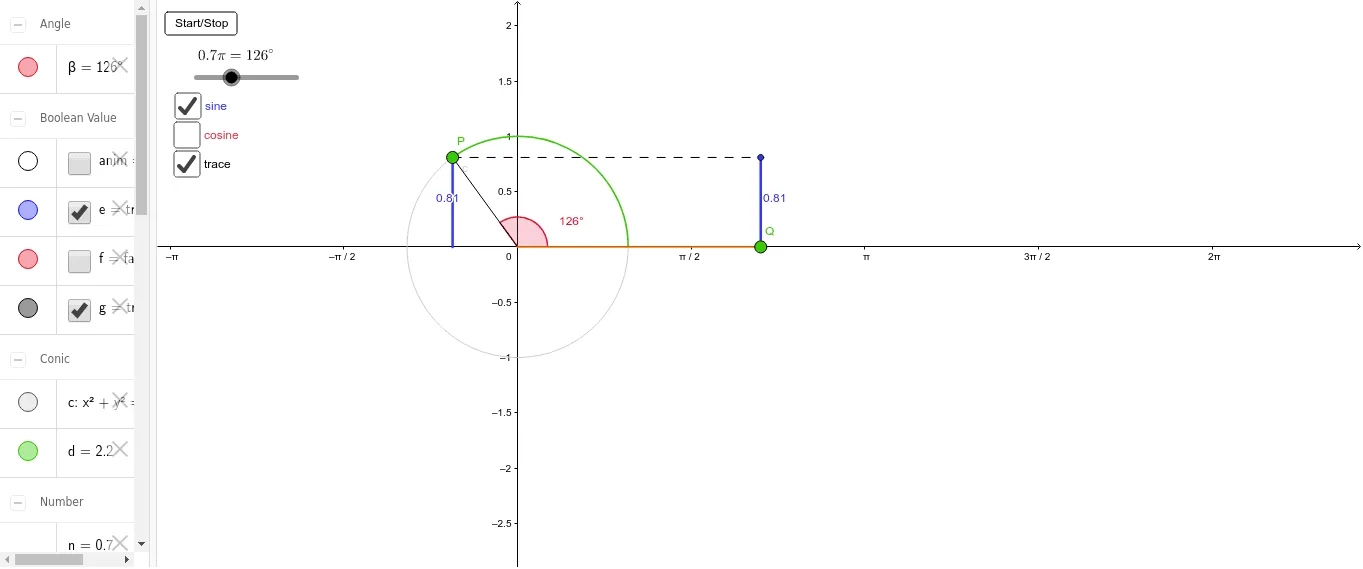
This example demonstrates how a sine wave is formed from the unit circle. Key mathematical concepts include sine functions and the unit circle. Using commands like Segment, Angle, and Arc, the construction process is shown. Suitable for high school mathematics education and learning.
GeoGebra Commands & Parameters
Segment((0, 0), P) → aSegment(P, (x(P), 0)) → sinCircleAngle(xAxis, a) → βArc(c, (1, 0), P) → dSegment((0, 0), Q) → bSegment((0, 0), (x(P), 0)) → cosCircleSegment(Q, (θ, x(P))) → cosWaveSegment(Q, sinPoint) → sinWaveSegment(P, (x(P), 0)) → sinCircle2Segment(P, sinPoint) → h
AI Drawing Prompt Reference
Draw a unit circle and generate a sine wave from a point P on the circle. First, draw a line segment from the origin to point P (a), then draw a perpendicular line from P to the x-axis, forming the sine circle sinCircle. Next, draw the angle β between the x-axis and the line segment from the origin to P, then draw an arc d from the origin to P, forming part of the unit circle. Then, draw a perpendicular line from the origin to the x-axis (cosCircle), and draw a line segment from the origin to P (b). Finally, draw the sine wave sinWave through P and the x-axis perpendicular.
The prompt above was compiled from the original drawing commands and is for reference only.