
Fixed Point Iteration - Find One Root
Loading the math board and drawing, please wait…
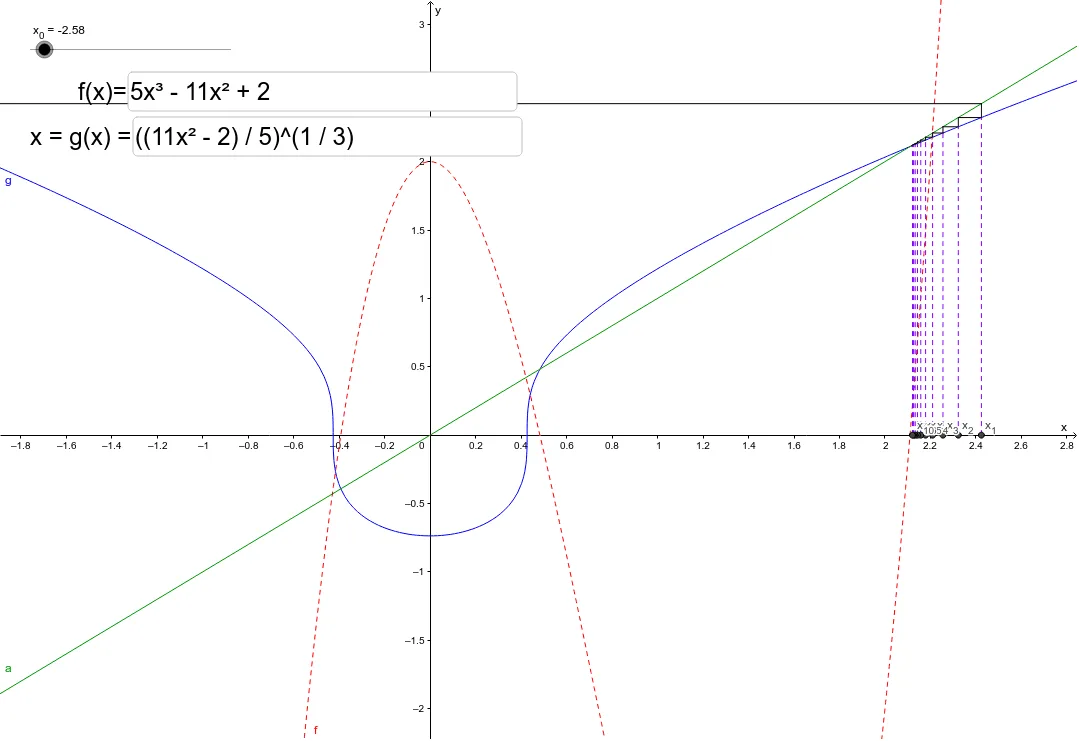
This example demonstrates the fixed point iteration method for finding roots of an equation. Key mathematical concepts include fixed points, iteration, and the existence of roots. Using GeoGebra commands such as Segment, Intersect, and Textfield, the process of iteration and the movement of points are dynamically illustrated. Suitable for high school mathematics education, particularly for learning numerical methods and equation solving.
GeoGebra Commands & Parameters
Segment((B2, B2), (B2, C2)) → D2Segment((B2, C2), (C2, C2)) → E2Segment((B3, B3), (B3, C3)) → D3Segment((B4, B4), (B4, C4)) → D4Segment((B5, B5), (B5, C5)) → D5Segment((B6, B6), (B6, C6)) → D6Segment((B7, B7), (B7, C7)) → D7Segment((B8, B8), (B8, C8)) → D8Segment((B9, B9), (B9, C9)) → D9Segment((B10, B10), (B10, C10)) → D10Segment((B11, B11), (B11, C11)) → D11Segment((B12, B12), (B12, C12)) → D12Segment((B3, C3), (C3, C3)) → E3Segment((B4, C4), (C4, C4)) → E4Segment((B5, C5), (C5, C5)) → E5Segment((B6, C6), (C6, C6)) → E6Segment((B7, C7), (C7, C7)) → E7Segment((B8, C8), (C8, C8)) → E8Segment((B9, C9), (C9, C9)) → E9Segment((B10, C10), (C10, C10)) → E10Segment((B11, C11), (C11, C11)) → E11Segment((B12, C12), (C12, C12)) → E12Segment((B2, 0), (B2, g(B2))) → G2Segment((B3, 0), (B3, g(B3))) → G3Segment((B4, 0), (B4, g(B4))) → G4Segment((B5, 0), (B5, g(B5))) → G5Intersect(a, D2) → StartSegment((B6, 0), (B6, g(B6))) → G6Segment((B7, 0), (B7, g(B7))) → G7Segment((B8, 0), (B8, g(B8))) → G8Segment((B9, 0), (B9, g(B9))) → G9Segment((B10, 0), (B10, g(B10))) → G10Segment((B11, 0), (B11, g(B11))) → G11Segment((B12, 0), (B12, g(B12))) → G12Textfield(f) → InputBox1Textfield(g) → InputBox2
AI Drawing Prompt Reference
Draw the graph of function f(x) and its fixed point iteration form g(x). Use the fixed point iteration method to find the root of the equation. First, draw the graphs of f(x) and g(x). Then, draw line segments from the x-axis to the graph of g(x) to represent each iteration step. Next, find the intersection point to determine the starting point of the iteration and draw line segments from the x-axis to the graph of g(x) to show each iteration step.
The prompt above was compiled from the original drawing commands and is for reference only.