
Finding the nth term of a fraction sequence
Loading the math board and drawing, please wait…
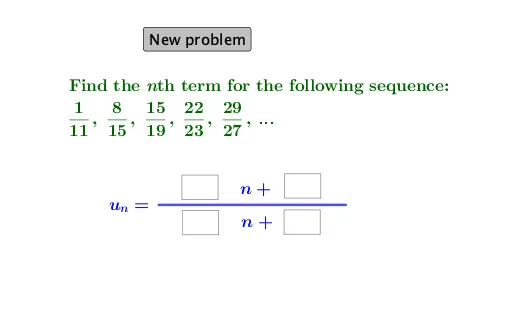
This example demonstrates how to find the nth term of a sequence of fractions. Key mathematical concepts include sequences and fraction operations. It uses commands like RandomElement, Sequence, FractionText, Segment, Textfield, If, etc. Suitable for middle school and above students learning about sequences.
GeoGebra Commands & Parameters
RandomElement(l1) → aRandomElement(l2) → bRandomElement(l1) → cRandomElement(l2) → dSequence(((a * n) + b) / ((d * n) + c), n, 1, 7) → l3FractionText(u_1) → text1FractionText(u_2) → text2FractionText(u_3) → text3FractionText(u_4) → text4FractionText(u_5) → text5Segment(A, B) → fTextfield(e) → InputBox1Textfield(g) → InputBox2Textfield(i) → InputBox3Textfield(h) → InputBox4If(a ≟ e ∧ b ≟ g ∧ d ≟ i ∧ c ≟ h, "Correct! ", "No. Try again.") → text9
AI Drawing Prompt Reference
Create a visual for exploring a fraction sequence. Display seven fraction terms in order on a coordinate plane, each shown as a fraction with numerator and denominator, labeled with their positions. The fractions are generated from two random integer lists, with numerators and denominators as linear functions of the term index. Below the graph, place four input boxes for the numerator coefficient, constant, denominator coefficient, and constant. Next to them, show a feedback text that says 'Correct!' when the inputs match the random coefficients, otherwise 'No. Try again.'. Connect consecutive fraction points with line segments to show the sequence trend.
The prompt above was compiled from the original drawing commands and is for reference only.