
Finding the magnitude and direction of vector ⟨2, -3⟩
Loading the math board and drawing, please wait…
In collections
CCSS Honors Math II Topic 2
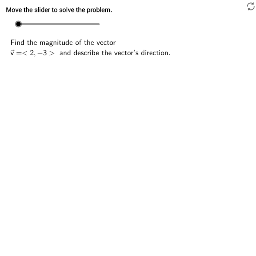
This GeoGebra example demonstrates how to find the magnitude and direction of the vector v = ⟨2, –3⟩. It constructs the vector using Segment commands, computes its angle with the positive x‑axis via the Angle command, and displays the calculations step‑by‑step with TableText. The underlying mathematics involve the Euclidean norm √(x² + y²) and the arctangent function for direction. The construction uses GeoGebra commands such as Product, Angle, Segment, and TableText, together with auxiliary objects (v, m2, Formula2a, etc.) to produce the final result. It is intended for high‑school honors mathematics (CCSS Math II) and serves as a teaching tool or interactive exploration.
GeoGebra Commands & Parameters
Product(Zip[Element[f, 1]^(Mod[Element[f, 2], 2]), f, Factors[m2]]) → m2sfAngle(P2, P1, P0) → αSegment(P0, P1) → aSegment(P1 + (0, (-0.5)), P2 + (0, (-0.5))) → b1Segment(P1, P2) → bSegment(P0 - (0.5, 0), P1 - (0.5, 0)) → a1TableText({{Formula2a, "\textsf{Magnitude formula}"}, {Formula2b, "\textsf{Substitute.}"}, {Formula2c, "\textsf{Simplify.}"}, {Formula2d, " "}}, "l") → work2
AI Drawing Prompt Reference
Draw a graphic representing the vector ⟨2, -3⟩. The vector is shown as a line segment starting from the origin and ending at (2, -3). Next, label its magnitude, which is the length √(2²+(-3)²), and compute the exact value. Then, add an angle annotation showing the vector's direction relative to the positive x-axis, which is arctan(-3/2). Finally, include text below the graphic displaying the substitution and simplification steps of the magnitude formula. Key objects are the vector, its magnitude, the angle, and the calculation steps text, representing the vector itself, its length, direction, and the calculation process. The construction order is: draw the vector, then compute and label magnitude and angle, and finally add the calculation steps text.
The prompt above was compiled from the original drawing commands and is for reference only.