
Find the Scale Factor of Dilation
Loading the math board and drawing, please wait…
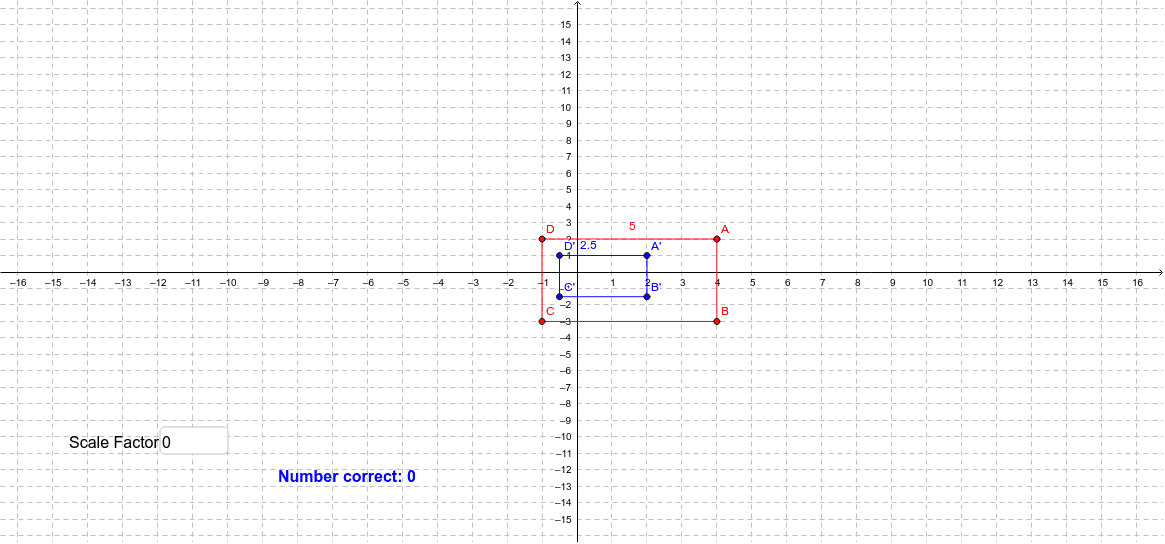
This example demonstrates how to dynamically visualize the scale factor of a dilation transformation using GeoGebra. Key math concepts include dilation, similar figures, and proportional relationships. Construction highlights the use of commands like Segment, RandomElement, Textfield, and Midpoint. Suitable for middle school students and above learning geometric transformations and similarity, or for classroom demonstrations.
GeoGebra Commands & Parameters
Segment(A, B) → aSegment(B, C) → bSegment(C, D) → cSegment(D, A) → dRandomElement(scale) → nSegment(B', A') → eSegment(A', D') → fSegment(D', C') → gSegment(C', B') → hTextfield(z) → inputBox1Midpoint(g) → EMidpoint(f) → FMidpoint(h) → GMidpoint(e) → HMidpoint(d) → IMidpoint(b) → JMidpoint(a) → KMidpoint(c) → L