
Ferris Wheel Height Demonstration
Loading the math board and drawing, please wait…
In collections
Math Year 4 Unit 1
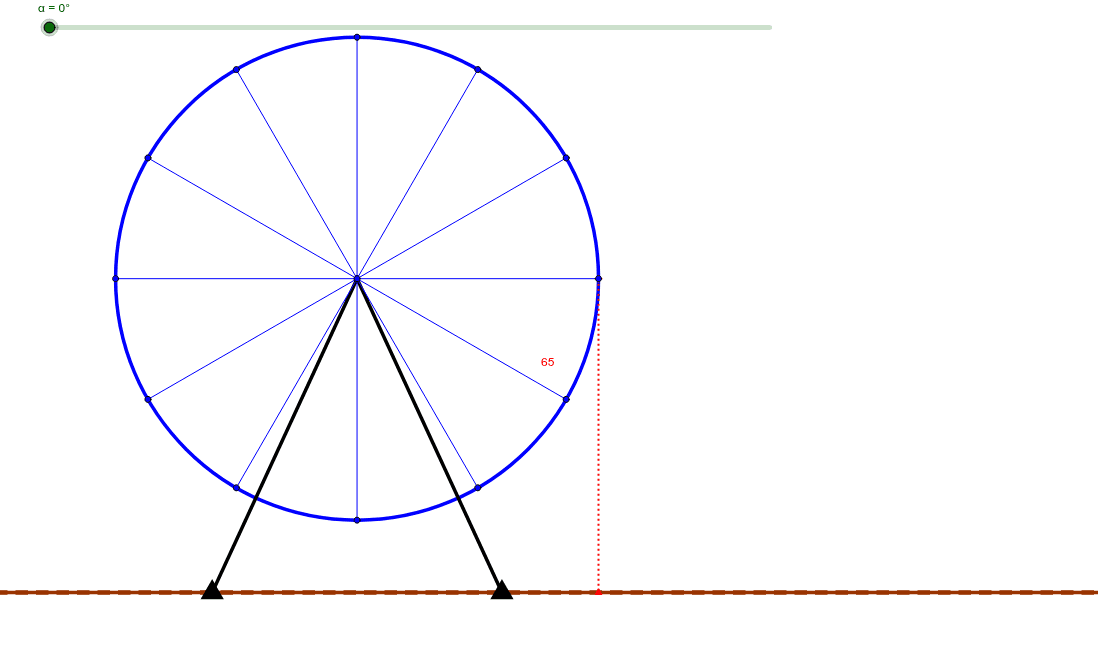
This example demonstrates the height variation of a Ferris wheel as it rotates. It involves core math concepts like vectors, trigonometric functions, derivatives, and coordinate geometry. Construction highlights include commands such as Circle, Segment, Rotate, Angle, Line, OrthogonalLine, and Intersect. Suitable for high school students studying function graphs, parametric equations, and physical motion patterns.
GeoGebra Commands & Parameters
Circle(C, 50) → cSegment(C, G1) → aSegment(C, G2) → bRotate(Zero, α, C) → Zero'Angle(Zero, C, Zero') → βSegment(C, Zero') → dRotate(Zero, 30° + α, C) → Zero'_1Angle(Zero, C, Zero'_1) → γSegment(C, Zero'_1) → eRotate(Zero, 60° + α, C) → Zero'_2Angle(Zero, C, Zero'_2) → δSegment(C, Zero'_2) → fRotate(Zero, 90° + α, C) → Zero'_3Angle(Zero, C, Zero'_3) → εSegment(Zero'_3, C) → gRotate(Zero, 120° + α, C) → Zero'_4Angle(Zero, C, Zero'_4) → ζSegment(Zero'_4, C) → hRotate(Zero, 150° + α, C) → Zero'_5Angle(Zero, C, Zero'_5) → ηSegment(Zero'_5, C) → iRotate(Zero, 180° + α, C) → Zero'_6Angle(Zero, C, Zero'_6) → θSegment(Zero'_6, C) → jRotate(Zero, 210° + α, C) → Zero'_7Angle(Zero, C, Zero'_7) → ιSegment(Zero'_7, C) → kRotate(Zero, 240° + α, C) → Zero'_8Angle(Zero, C, Zero'_8) → κSegment(Zero'_8, C) → lRotate(Zero, 270° + α, C) → Zero'_9Angle(Zero, C, Zero'_9) → λSegment(Zero'_9, C) → mRotate(Zero, 300° + α, C) → Zero'_{10}Angle(Zero, C, Zero'_{10}) → μSegment(Zero'_{10}, C) → nRotate(Zero, 330° + α, C) → Zero'_{11}Angle(Zero, C, Zero'_{11}) → νSegment(Zero'_{11}, C) → pLine(G1, G2) → qOrthogonalLine(Zero', q) → rIntersect(r, q) → ASegment(Zero', A) → s
AI Drawing Prompt Reference
Draw a rotating Ferris wheel to demonstrate height variation. Start with a fixed circle, draw multiple line segments from the center to the circumference, and rotate them at different angles to create symmetric points around the circle. Connect the center to these points to form the wheel's outline. From the center, draw a line segment and rotate it to observe its intersections with the wheel's outline, then connect these intersections to the center with straight lines to show the height variations.
The prompt above was compiled from the original drawing commands and is for reference only.