
Expressing Area with an Unknown
Loading the math board and drawing, please wait…
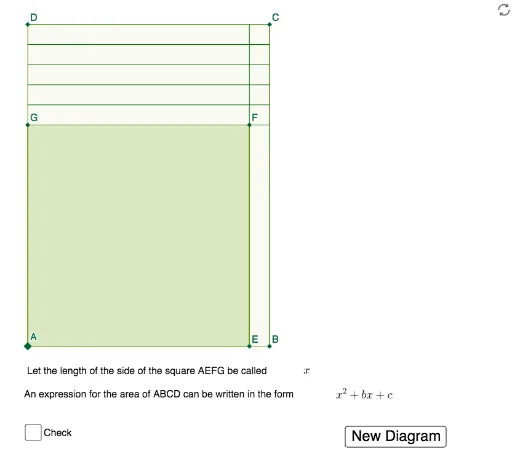
This example demonstrates how to construct polygons and express their area using GeoGebra, involving core math concepts like area calculation, polynomial functions, congruence, linear regression, linear functions, and circles. It utilizes commands such as Random, Polygon, Sequence, and Textfield, with objects like A, side, poly1, f, g, h, i, P, Q, a, b, list1, list2, C, B, D, poly2, a_1, f_1, e, g_1, E, F, G, button1, empty, InputBox1, H, I, pic1, answerbox, text4, text5, c, d, j, text1, text2, k, text3. Suitable for high school mathematics teaching to explore the relationship between geometric area and algebraic expressions.
GeoGebra Commands & Parameters
Random(3, 15) → sidePolygon(A, (side, 0), 4) → poly1, f, g, h, i, P, QRandom(1, 5) → aRandom(1, 5) → bSequence(Segment[(side + n, 0), (side + n, side + a)], n, 0, b, 1) → list1Sequence(Segment[(0, side + n), (side + b, side + n)], n, 0, a) → list2Polygon(A, B, C, D) → poly2, a_1, f_1, e, g_1Textfield(empty) → InputBox1