
Exploring Volume: Symmetry, Limits, and Filled Solids
Loading the math board and drawing, please wait…
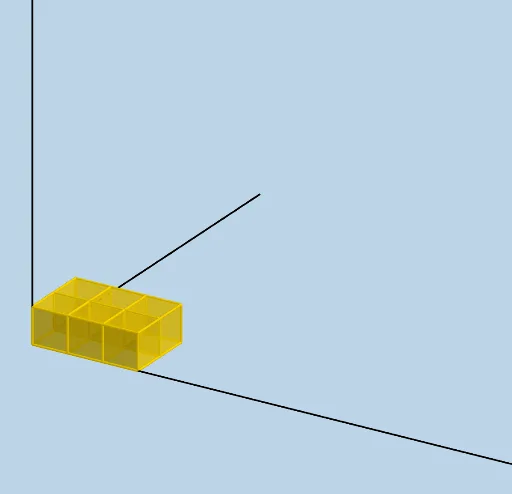
This GeoGebra example demonstrates volume in a highly visual way by constructing and filling a 3D solid through sequences of slices/sections, showing how the accumulated geometric pieces convey a stable “volume” as the construction refines. It highlights key ideas such as solid geometry and volume intuition, the role of symmetry in shaping the configuration, and a limit-style perspective where a discrete sequence approximates a continuous quantity. The setup also supports discrete-to-continuous intuition connected with combinatorial probability structures (e.g., hypergeometric-distribution–like weighting/counting behavior). Construction-wise, it uses Sequence and Ray to generate step-by-step geometric elements; LENGTH, WIDTH, and HEIGHT define the scale; segment control lengths like L_1, L_2, L_4, L_5, L_6, L_7 determine boundary positions; points A, B, and C provide geometric references and directions; objects f, g, and h represent functional/positional relationships for placing sections; text1 and text2 label key measures; and Filling is used to color and fill the section regions so that the “stacking thin pieces to form volume” effect becomes clear. Suitable for upper secondary students and introductory university coursework on geometry and calculus intuition, as well as classroom demonstrations and student modeling tasks.
GeoGebra Commands & Parameters
Sequence(Cube[(i, 0, 0), (i + 1, 0, 0), Point[Circle[(i + 1, 0, 0), Distance[(i, 0, 0), (i + 1, 0, 0)], Segment[(i, 0, 0), (i + 1, 0, 0)]]]], i, 0, LENGTH - 1, 1) → L_1Sequence(Cube[(1, i, 0), (1, i + 1, 0), Point[Circle[(1, i + 1, 0), Distance[(1, i, 0), (1, i + 1, 0)], Segment[(1, i, 0), (1, i + 1, 0)]]]], i, 1, WIDTH - 1, 1) → L_2Sequence(Sequence[Translate[Element[L_1, i], Vector[(0, j)]], j, 1, WIDTH - 1, 1], i, 2, LENGTH, 1) → L_4Sequence(Translate[L_4, Vector[(0, 0, i)]], i, 1, HEIGHT - 1, 1) → L_5Sequence(Translate[L_1, Vector[(0, 0, i)]], i, 1, HEIGHT - 1, 1) → L_6Sequence(Translate[L_2, Vector[(0, 0, i)]], i, 1, HEIGHT - 1, 1) → L_7Ray((0, 0, 0), (1, 0, 0)) → fRay((0, 0, 0), (0, 1, 0)) → gRay((0, 0, 0), (0, 0, 1)) → h
AI Drawing Prompt Reference
Create a 3D solid made from stacked thin slices to visually illustrate volume. Use LENGTH, WIDTH, and HEIGHT to set the overall scale, then construct discrete, equally spaced rectangular cross-section boundaries on the base in two perpendicular directions. Generate a sequence of slice positions by shifting the sections step-by-step along the length, then along the width, and finally stack them upward layer-by-layer using the height direction. Include three guiding reference rays from the origin along the x-, y-, and z-axes to define placement directions. Fill and color each slice region so the accumulated thin pieces clearly form the final symmetric solid, conveying a limit-style discrete-to-continuous volume intuition.
The prompt above was compiled from the original drawing commands and is for reference only.