
Exploring Vectors in 3D
Loading the math board and drawing, please wait…
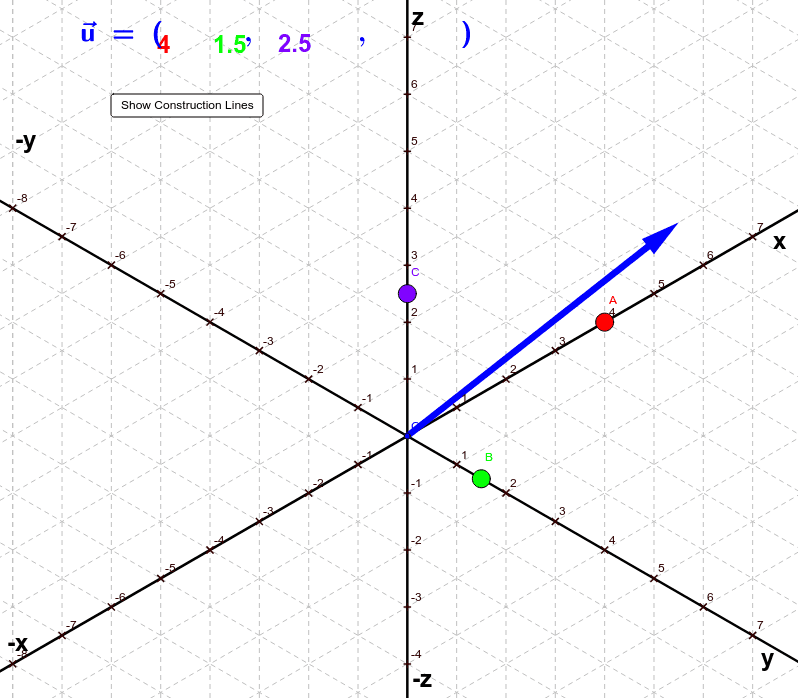
This example demonstrates how to construct a vector in three-dimensional space by manipulating three points on the x, y, and z axes. It involves core mathematical concepts like vector representation, 3D coordinate systems, and vector operations. Constructed using commands and objects such as Line, Point, Segment, Intersect, Vector, and Translate in GeoGebra. Suitable for high school and above students learning about 3D vectors and their applications.
GeoGebra Commands & Parameters
Line(O, z_1) → aLine(O, x_1) → bLine(O, y_1) → cPoint(b) → APoint(a) → CPoint(c) → BSegment(O, x_1) → iSegment(O, y_1) → jSegment(O, z_1) → kLine(A, c) → dLine(B, b) → eIntersect(d, e) → D_1Line(D_1, a) → fVector(O, C) → uTranslate(D_1, u) → DVector(D_1, D) → vSegment(A, D_1) → gSegment(B, D_1) → hSegment(D_1, D) → lVector(O, D) → wSegment(O, C) → mSegment(O, B) → nSegment(O, A) → p