
Exploring Trigonometric Functions
Loading the math board and drawing, please wait…
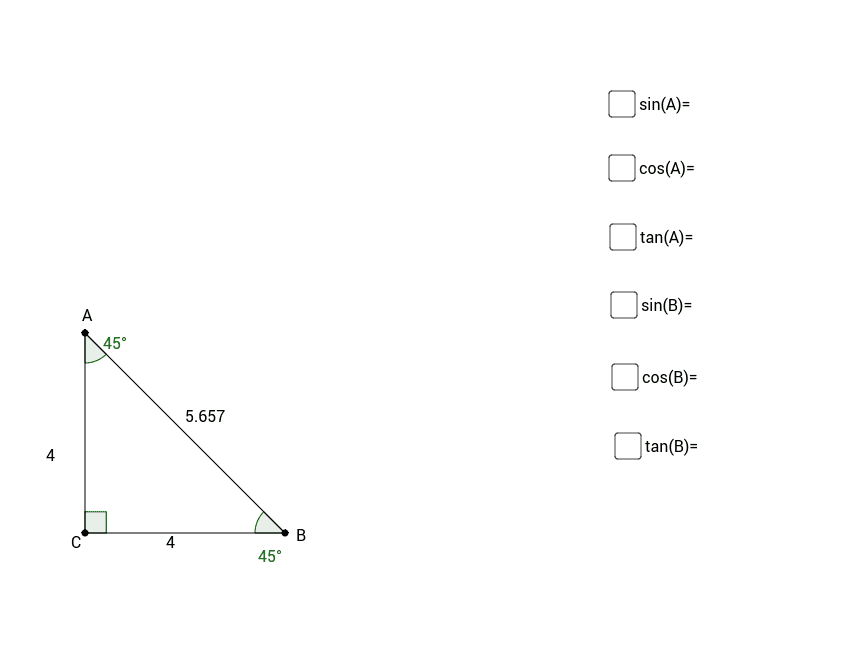
This example demonstrates the basic concepts of trigonometric functions. By constructing angles and sides in a triangle, students can intuitively understand the definitions of sine, cosine, and tangent. Using GeoGebra commands such as Point, Intersect, Polygon, and Angle, dynamic displays of trigonometric function properties are shown. Suitable for middle school and above students as a teaching demonstration or practice tool.
GeoGebra Commands & Parameters
Point(yAxis) → APoint(xAxis) → BIntersect(xAxis, yAxis) → CPolygon(A, C, B) → poly1, b, a, cAngle(B, C, A) → γAngle(C, A, B) → αAngle(A, B, C) → β
AI Drawing Prompt Reference
Draw a coordinate system with x-axis and y-axis intersecting at point C. Take point A on the y-axis and point B on the x-axis. Form a triangle by connecting points A, C, and B, and label the three interior angles of the triangle as α, β, and γ.
The prompt above was compiled from the original drawing commands and is for reference only.