
Exploring the Derivative of a Function at a Point
Loading the math board and drawing, please wait…
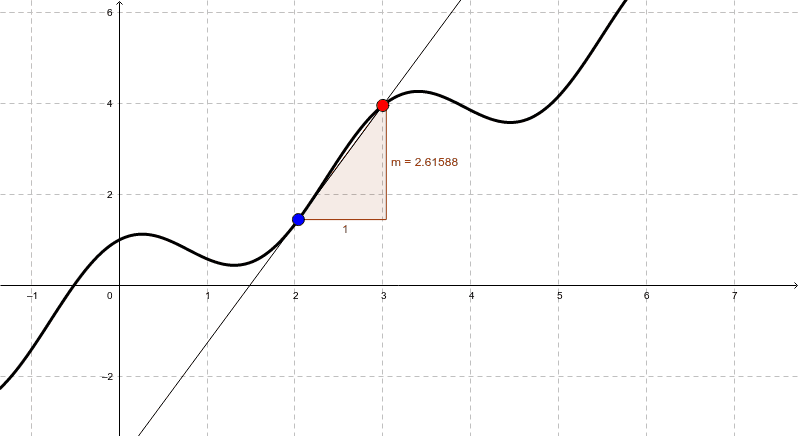
This example demonstrates how to dynamically adjust a point to explore the derivative of a function at a specific point. Core math concepts include the definition of a derivative, slope, and function graphs. It uses GeoGebra commands and objects like Point, Line, and Slope to construct the function, movable point, and display the slope. Suitable for university calculus courses or related math learning.
GeoGebra Commands & Parameters
Point(f) → ALine(A, P) → aSlope(a) → m
AI Drawing Prompt Reference
Draw a function graph and mark a movable point on it. Then draw a line from this point to the function graph, representing the derivative at that point. Show the slope of the line as the derivative value at the point on the graph.
The prompt above was compiled from the original drawing commands and is for reference only.