
Exploring SSS Congruence
Loading the math board and drawing, please wait…
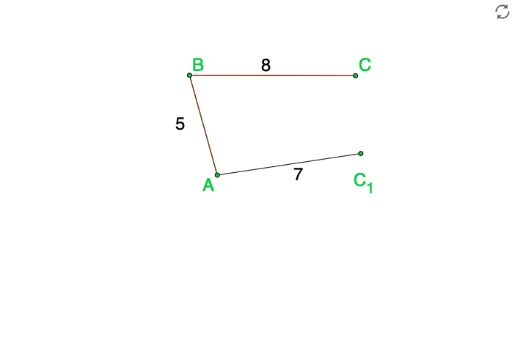
This example demonstrates constructing congruent triangles using the SSS (Side-Side-Side) congruence condition. Key mathematical concepts include triangle congruence and side relationships. GeoGebra commands used include Point, Segment, Polygon, and Angle. Adjusting the side lengths allows observation of triangle changes. Suitable for middle school and above students learning geometric construction.
GeoGebra Commands & Parameters
Point(Circle[A, LengthAB]) → BSegment(A, B) → aPoint(Circle[B, LengthBC]) → CSegment(B, C) → bPoint(Circle[A, LengthAC]) → C_1Segment(A, C_1) → cSegment(C_1, C) → dPolygon(B, A, C) → poly1, c_1, b_1, a_1Angle(A, B, C) → αAngle(B, C, A) → βAngle(C, A, B) → γ
AI Drawing Prompt Reference
Draw a triangle ABC with sides AB=5, BC=6, and AC=7. Start by drawing a line segment AB of length 5 from point A. Then, draw a circle with center B and radius 6, and mark the intersection with AB as point C. Next, draw a circle with center A and radius 7, and mark the intersection with the previous circle as point C1. Connect points A and C1, and C1 and C. Finally, use points A, B, and C to form a triangle. Observe the changes in the triangle's sides and angles.
The prompt above was compiled from the original drawing commands and is for reference only.