
Exploring SSA Congruent Triangles
Loading the math board and drawing, please wait…
In collections
Congruent Triangles
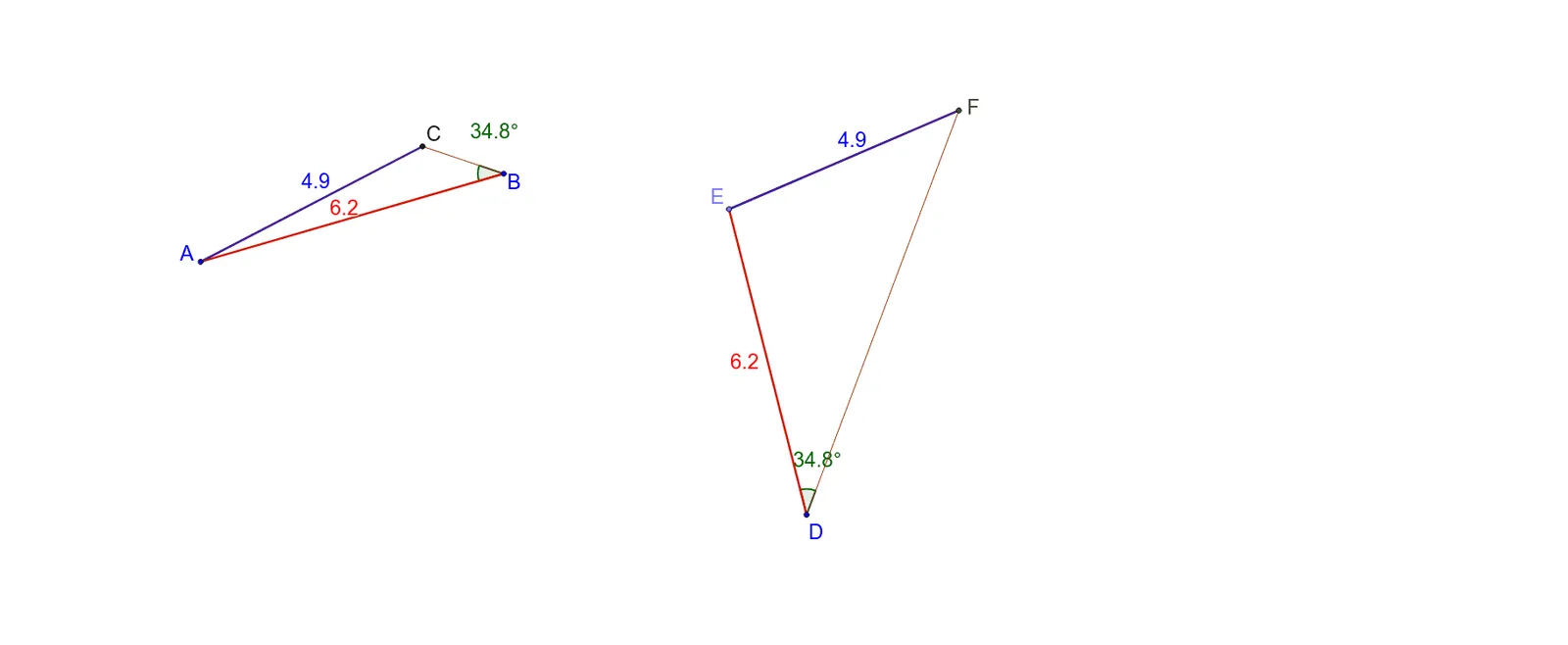
This example demonstrates the exploration of triangle congruence under SSA (side-side-angle) conditions. It involves core mathematical concepts such as triangle congruence criteria, geometric constructions, and the relationship between angles and side lengths. The construction utilizes GeoGebra commands like Segment, Circle, Angle, Point, Rotate, Line, Intersect, and Polygon. It is suitable for high school mathematics education to understand the complexities and special cases of SSA conditions in triangle congruence.
GeoGebra Commands & Parameters
Segment(A, B) → aCircle(B, A) → cCircle(A, C) → dSegment(A, C) → bSegment(C, B) → eAngle(C, B, A) → αCircle(D, a) → fPoint(f) → ESegment(E, D) → gCircle(E, b) → hRotate(E, (-α), D) → E'Angle(E', D, E) → βLine(D, E') → iIntersect(h, i, 2) → FSegment(F, E) → jSegment(D, F) → kPolygon(B, A, C) → poly1, c_1, b_1, a_1Polygon(D, E, F) → poly2, f_1, d_1, e_1
AI Drawing Prompt Reference
Draw a triangle, then draw a circle with one side as the radius, and another circle with the other side as the radius. Connect the intersection points of the circles with the vertex, draw a circle with this point as the center, intersecting the first circle at another point, connect this point to the center, rotate this line segment, intersecting the second circle at another point, connect these two points to form two triangles, demonstrating the congruence under SSA conditions.
The prompt above was compiled from the original drawing commands and is for reference only.