
Exploring SSA Conditions for Triangle Construction
Loading the math board and drawing, please wait…
In collections
Triangle Congruence
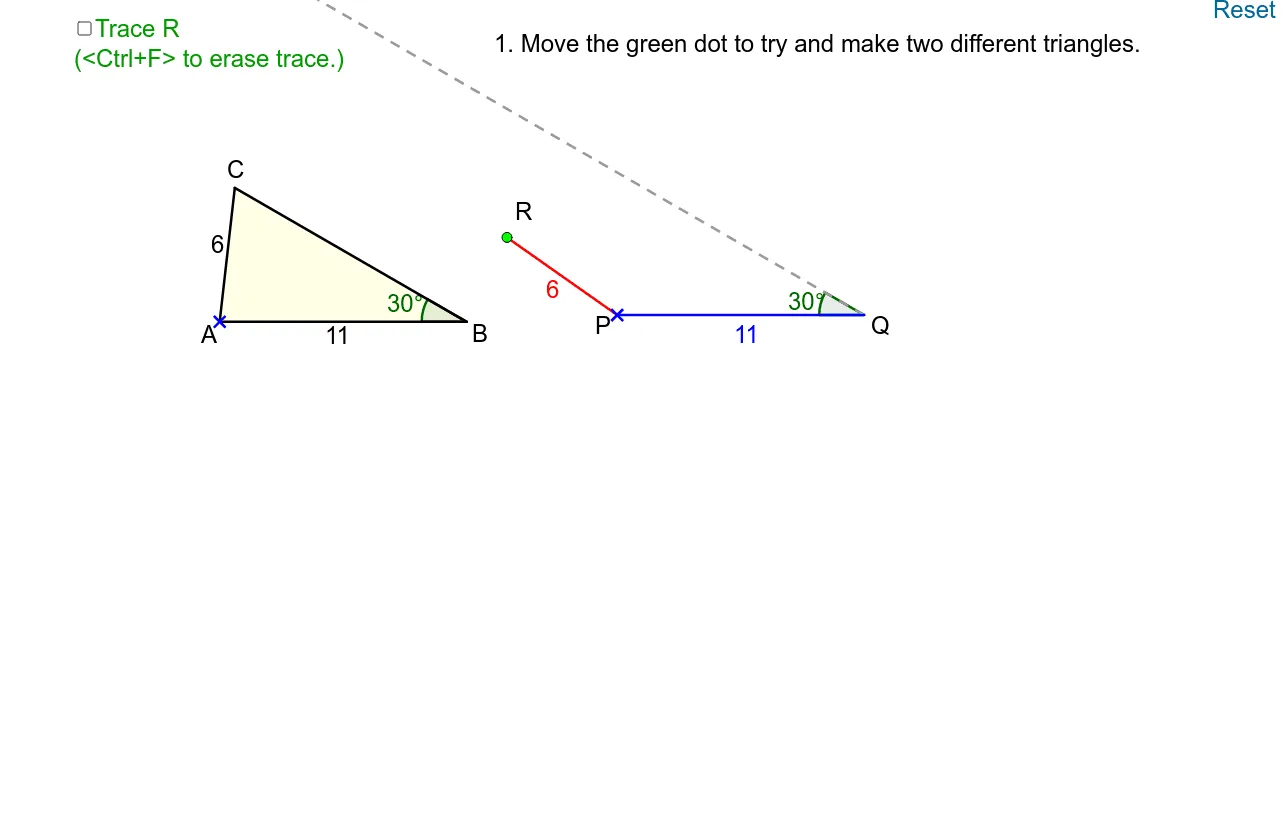
This example demonstrates the construction of triangles under the SSA (two sides and an included angle) condition. Key mathematical concepts include the conditions for triangle construction and geometric transformations. Using GeoGebra commands such as Point, Rotate, Angle, Intersect, etc., one can dynamically explore triangle constructions under different conditions. Suitable for middle school and above students or teachers.
GeoGebra Commands & Parameters
Point(Semicircle[(x(H) - 4, y(H)), (x(H) + 4, y(H))]) → JRotate(A, 330°, B) → A'Angle(A', B, A) → αIntersect(Circle[A, 6], Line[B, A']) → C_1, CPolygon(A, B, C) → poly1, c, a, bPoint(Ray[D, (x(D) + 1, y(D))]) → ESegment(D, E) → dPoint(Ray[F, (x(F) + 1, y(F))]) → GSegment(F, G) → eAngle(J, H, I) → βRotate(P, (-γ), Q) → P'Angle(P', Q, P) → δPoint(Circle[P, d]) → RRotate(I, (-γ), H) → I'Angle(I', H, I) → εSegment(I, H) → gSegment(J, H) → hRay(Q, P') → iIntersect(OrthogonalLine[R, i], i) → KPolygon(P, Q, R) → poly2, r, p, qIf(Distance[R, K] < 0.01, true, false) → on
AI Drawing Prompt Reference
Draw a semicircle and mark two points on it. Connect these points and rotate one point to form an angle. Draw a circle with one point as the center and intersect it with another line to get two points. Connect these points to form a triangle. Then, draw rays from other points, mark new points and segments. Rotate certain points and segments to create new angles and intersections. Connect the new points to form another triangle. Compare the positions of the two triangles.
The prompt above was compiled from the original drawing commands and is for reference only.